How Much Sunlight Does Outdoor Solar Security Camera Need
How much sunlight does outdoor solar security camera need? Most outdoor solar security cameras need approximately 2–4 hours of direct sunlight per day to maintain a reliable battery charge. However, the ideal amount depends on panel placement, local weather, motion activity, Wi-Fi strength, battery capacity, nighttime recording, and seasonal changes.
How much sunlight does outdoor solar security camera need? Most models require around 2–4 hours of unobstructed direct sunlight each day. A camera installed in a busy, shaded, cloudy, or cold location may need closer to 4–6 hours of stronger sunlight or an alternative power source.
- Daily sunlight target: Start with 2–4 hours of direct sunlight and allow more for heavy recording activity.
- Panel placement matters: Shade, panel angle, cable reach, dirt, and seasonal sun changes directly affect charging.
- Camera activity affects battery drain: Motion alerts, live view, weak Wi-Fi, night vision, and frequent recording consume additional power.
- Best use case: Solar cameras perform best in sunny locations with moderate activity and flexible mounting options.
How Much Sunlight Does Outdoor Solar Security Camera Need?
How Much Direct Sunlight Does a Solar Security Camera Require?
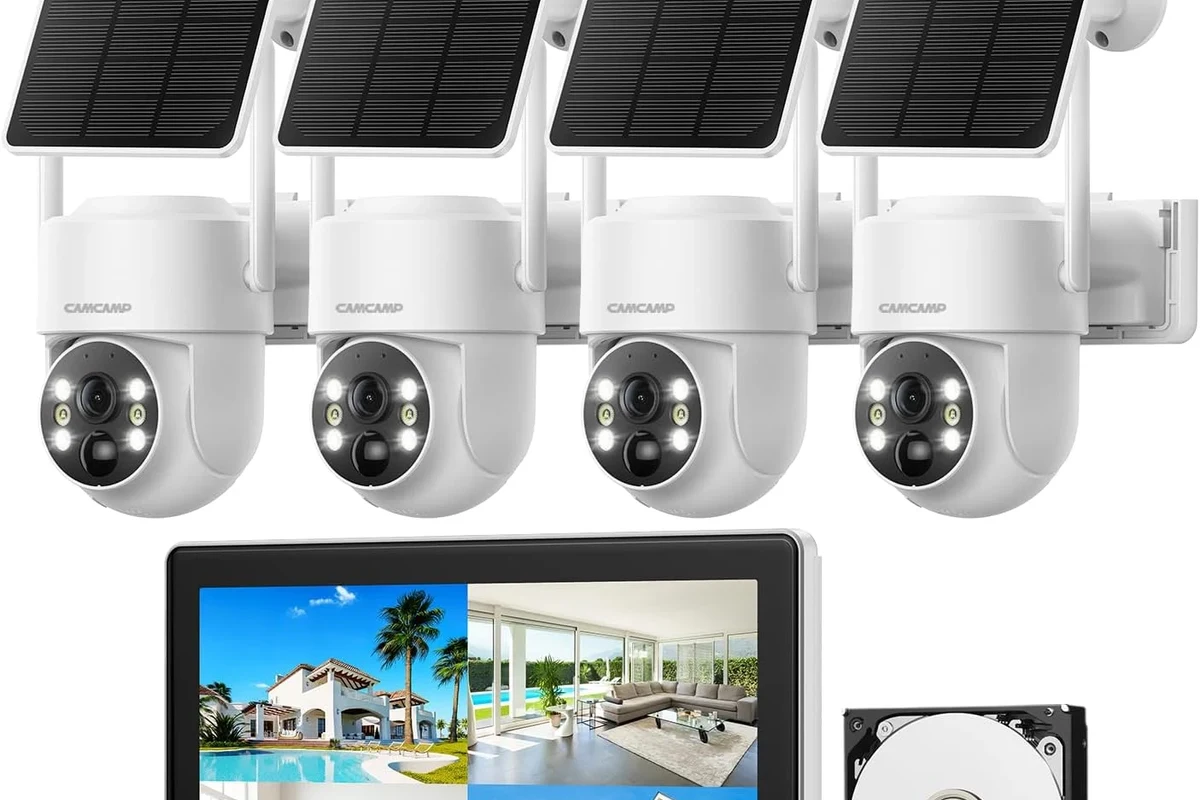
A typical outdoor solar security camera needs around 2–4 hours of direct, unobstructed sunlight to replace the energy used for motion detection, recording, Wi-Fi communication, alerts, live viewing, and night vision.
This range is a practical starting point rather than a universal guarantee. A camera with a large battery, efficient solar panel, strong Wi-Fi connection, and limited motion activity may remain charged with less exposure. A camera overlooking a busy driveway, sidewalk, entrance, or delivery area may need longer exposure.
The objective is not simply to make the charging symbol appear in the app. The solar panel must replace approximately as much energy as the camera uses each day. When daily charging and daily consumption remain balanced, the battery percentage should stay relatively stable.
What “Enough Sunlight” Means for Daily Battery Recovery
Enough sunlight means the panel can restore the energy consumed since the previous charging period. A camera may appear to work normally even when the solar panel is not keeping up, because the internal battery can cover the difference temporarily.
Watch the battery percentage at approximately the same time each day. If it gradually decreases over several days, the camera is consuming more energy than the panel is replacing. Better panel placement, fewer unnecessary motion recordings, stronger Wi-Fi, or more daily sunlight may be required.
A large battery can delay charging problems, but only sufficient daily solar input can keep the camera operating consistently over the long term.
How Solar Security Cameras Work
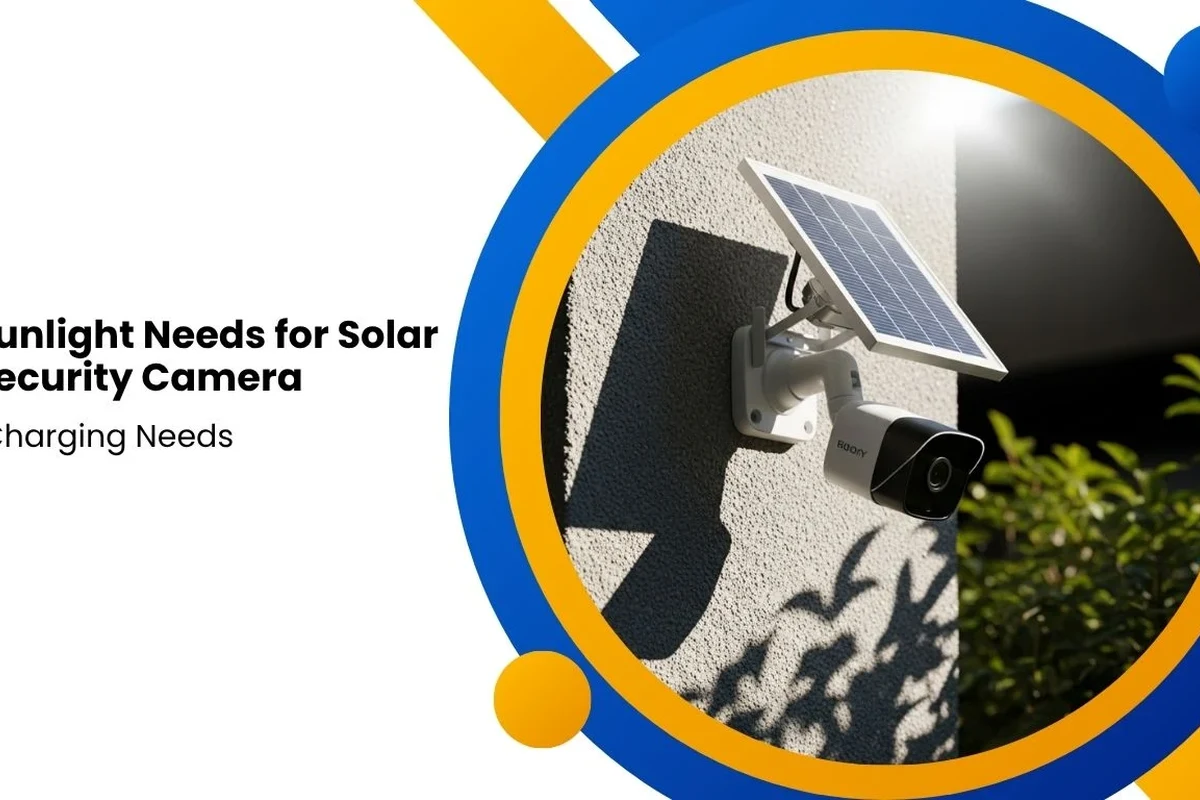
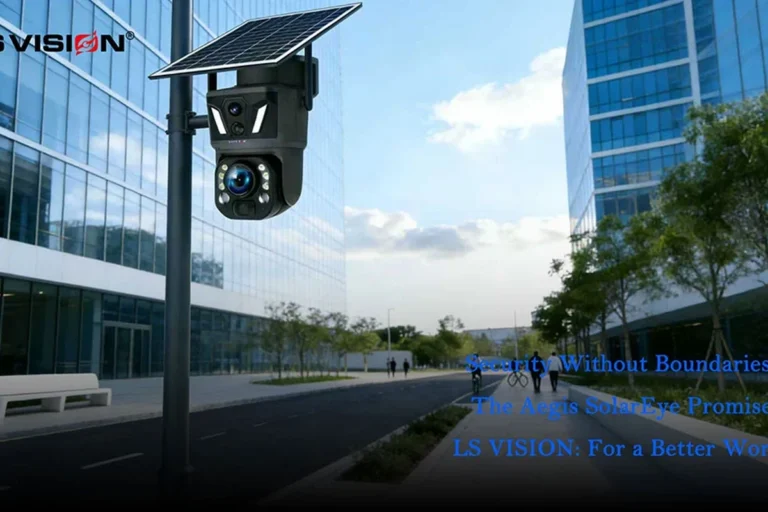
Modern solar security cameras commonly combine a photovoltaic panel, a rechargeable battery, motion-triggered recording, wireless connectivity, night vision, and app-based power controls.
The solar panel usually does not power every camera function directly. It converts sunlight into electricity and sends that energy to the internal battery. The battery then powers the camera during recording, cloudy periods, nighttime use, live viewing, and motion events.
Solar Panel Output and Battery Storage
When sunlight reaches the panel, the system converts available solar energy into electrical power. The camera may continue using battery power while the panel gradually replenishes the battery.
A low-activity camera can spend most of the day in standby mode and wake only when motion is detected. A high-activity camera may activate repeatedly, send many notifications, record longer clips, and use night vision frequently. These additional tasks increase battery consumption.
Why Panel Wattage, Angle, and Cable Quality Matter
Solar panel wattage is useful when comparing products, but rated output is measured under favorable conditions. Real-world performance depends on several additional factors:
- Hours of direct sunlight
- Panel angle and direction
- Nearby buildings, trees, gutters, and rooflines
- Cloud cover and seasonal daylight
- Dust, pollen, leaves, snow, or bird droppings
- Cable length and connector condition
- Camera recording frequency
A modest panel mounted in a sunny, unobstructed location may perform better than a larger panel placed under an eave or behind partial shade.
Advertised charging estimates often assume strong sunlight, correct panel positioning, a clean panel, moderate camera activity, and compatible operating temperatures. Actual performance varies by installation and usage.
Heat, Weather Sealing, and Safe Outdoor Use
Solar security cameras are designed for outdoor use, but exposure limits still matter. Excessive heat can reduce charging efficiency and battery performance. Freezing weather may also lower available battery capacity temporarily.
Inspect the solar panel, camera housing, cable, mount, and charging connection periodically. Stop using damaged components, swollen batteries, cracked housings, frayed cables, loose connectors, or equipment showing signs of overheating.
Solar power may not be sufficient in deep shade, long winter conditions, or locations requiring constant recording. A wired or plug-in security camera may be more dependable in those situations.
How Much Sunlight You Need by Camera Type and Usage
Solar security camera sunlight requirements vary according to how often the camera wakes, records, communicates with the app, and uses night vision.
Approximately 2–3 hours of direct sunlight
Approximately 3–4 hours of direct sunlight
Approximately 4–6 hours or more
Solar charging may be unreliable
Wired power is usually more suitable
Low-Activity Porch, Gate, and Driveway Cameras
For a low-activity location, approximately 2–3 hours of direct sunlight may be adequate. These cameras remain in standby for much of the day and record only occasional motion events.
Side entrances, low-traffic porches, garden gates, sheds, and lightly used driveways can be suitable locations. Check the battery trend for at least one week rather than judging performance after a single sunny day.
High-Activity Sidewalks, Pets, Deliveries, and Night Recording
A camera monitoring a busy sidewalk, street, driveway, pet area, delivery zone, or shared entrance can activate many times per day. Frequent motion events increase processing, recording, notification, and wireless communication activity.
High-activity installations may need closer to 4–6 hours of direct sunlight. They may also benefit from reduced motion sensitivity, customized detection zones, shorter recording clips, or a larger compatible solar panel.
- Check battery percentage at approximately the same time each day.
- Exclude roads, moving trees, and public sidewalks from motion zones when possible.
- Reduce excessive motion sensitivity and unnecessary notifications.
- Place the panel where it receives uninterrupted sunlight rather than brief reflected light.
- Clean the solar panel whenever dirt or debris becomes visible.
Cloudy, Winter, and Partially Shaded Locations
A solar panel can continue producing some power under cloudy conditions, but charging is generally slower than under direct sunlight. Multiple overcast days can cause the battery level to decline if camera activity remains high.
Winter can create several challenges simultaneously:
- Shorter daylight hours
- Lower sun angle
- More shade from nearby structures
- Snow or debris covering the panel
- Reduced battery performance in cold conditions
In a cloudy or winter-prone location, prioritize a large battery, flexible panel mounting, strong direct sunlight when available, and a backup charging option.
Key Specifications to Check Before You Buy
Before choosing a solar-powered security camera, look beyond basic marketing language. The most useful specifications are the ones affecting charging, placement, compatibility, maintenance, and reliability.
Solar Panel Wattage and Charging Efficiency
A higher-wattage panel may provide more charging potential, but output still depends on sunlight quality and installation. Check whether the solar panel is included, optional, integrated, or sold separately.
A separate panel generally offers more flexibility because the camera can face the surveillance area while the panel faces the strongest sunlight.
Battery Capacity
A larger battery can help the camera continue operating through cloudy periods or long nights. However, a large battery does not solve poor solar placement permanently. It only provides a larger reserve before recharging becomes necessary.
Verify whether the battery is removable, replaceable, or permanently integrated. Also check the manufacturer’s charging and replacement guidance.
Mounting Flexibility and Cable Length
Measure the distance between the preferred camera position and the sunniest available panel location. A short cable may force the panel into shade, while a longer compatible cable can provide more installation freedom.
Confirm that the camera mount and panel bracket offer sufficient angle adjustment for your wall, roofline, fence, garage, or detached structure.
Integrated or separately mounted
Capacity, charging method, and replacement policy
Length, connector type, and outdoor sealing
Bracket movement and installation surface
Supported Wi-Fi bands and app requirements
Manufacturer-listed outdoor protection and temperature range
App Requirements and Wi-Fi Compatibility
A solar security camera still requires reliable connectivity for notifications, live viewing, cloud access, firmware updates, and remote controls.
Weak Wi-Fi may reduce reliability and can increase energy use if the camera repeatedly attempts to reconnect. Test the wireless signal from the exact mounting location before drilling holes or permanently attaching the panel.
Warranty and Replacement Parts
Check warranty terms, regional support, replacement mounts, charging cables, solar panels, and battery service options before purchasing.
Outdoor components experience more environmental stress than indoor smart-home devices. Replacement part availability can significantly affect the practical lifespan of the system.
Who a Solar Outdoor Security Camera Fits Best
Solar security cameras are useful when running electrical wiring would be expensive, inconvenient, visually disruptive, or restricted by the property layout.
Best Use Cases
- Front doors and side entrances
- Garages and carports
- Sheds and workshops
- Garden gates and fences
- Remote entry points
- Detached structures with reliable Wi-Fi
- Rental properties where permanent wiring is undesirable
They are particularly useful when the camera can be placed for visibility while the separate panel can be positioned for sunlight.
Homeowners and renters with a sunny mounting location, moderate motion activity, reliable Wi-Fi, and a preference for flexible installation without permanent electrical wiring.
When a Wired Camera Is the Better Choice
A wired or plug-in security camera may be more suitable when:
- The location remains shaded for most of the day.
- The camera must record continuously.
- The area has frequent motion throughout the day and night.
- Year-round operation is essential.
- Winter sunlight is extremely limited.
- The panel cannot be mounted securely.
- Battery monitoring and maintenance are undesirable.
Solar Versus Wired Security Camera
Solar is usually easier where electrical wiring is unavailable
Wired power is generally more consistent
Solar offers flexibility but requires a sunny panel location
Solar panels require cleaning and battery monitoring
Wired cameras are usually more appropriate
Common Setup Mistakes That Reduce Solar Charging
Many apparent camera or battery problems are caused by installation choices. Correcting panel placement may improve charging without replacing the camera.
Mounting the Panel in Partial Shade
Trees, gutters, eaves, rooflines, poles, fences, and neighboring structures can cast shadows that move throughout the day. A panel that appears sunny in the morning may remain shaded during the strongest charging period.
Observe the proposed location at different times before permanent installation.
Installing the Panel Behind Glass
Glass, tint, coatings, screens, and reflections may reduce the light reaching the panel. Outdoor solar panels generally perform best when exposed directly to sunlight rather than placed behind a window.
Using Unsupported Extension Cables
An incorrect extension cable can create connection, sealing, compatibility, or voltage-related problems. Use manufacturer-approved accessories whenever possible and avoid exposed or loosely connected outdoor charging joints.
Ignoring Seasonal Sun Changes
The sun’s position changes during the year. A panel placement that works well in summer may receive less direct sunlight during winter.
Recheck panel exposure and angle seasonally, especially if the battery begins declining after months of stable performance.
Allowing Dirt and Debris to Accumulate
Dust, pollen, leaves, road grime, snow, and bird droppings can block light. Inspect the panel regularly and clean it according to the manufacturer’s instructions.
Keeping Motion Sensitivity Too High
Unnecessary recordings caused by moving branches, passing cars, shadows, insects, pets, or public sidewalks can drain the battery faster than expected.
Use activity zones and detection controls to focus monitoring on areas that matter.
Stop using damaged panels, swollen batteries, cracked housings, frayed cables, loose brackets, overheated components, or corroded outdoor connections. Follow the manufacturer’s service and replacement guidance.
Maintenance, Safety, and Troubleshooting Tips
A solar-powered camera should be treated as an outdoor electrical device. Regular inspection helps prevent charging failures, loose mounts, weather damage, and declining performance.
Inspect the Panel, Cable, and Camera Housing
Look for:
- Cracks or discoloration
- Loose mounting hardware
- Water intrusion
- Damaged weather seals
- Pinched or stretched cables
- Corrosion around connectors
- Unusual heat or swelling
Do not rely on temporary tape, exposed wiring, or improvised outdoor repairs.
Recommended Cleaning Routine
Inspect the panel every few weeks in dusty, pollen-heavy, snowy, coastal, or high-traffic environments. Clean more frequently when visible debris is blocking the panel.
Use a soft cloth and follow the product manual. Avoid abrasive materials or harsh chemicals that could damage the panel surface or protective coating.
After cleaning or repositioning the panel, compare the battery percentage at the same time each day for several days. A stable or increasing percentage usually indicates improved charging performance.
What to Do When the Camera Stops Charging
- Confirm that the panel is receiving direct sunlight.
- Remove dirt, leaves, snow, or visible debris.
- Check the charging cable at both ends.
- Inspect the cable for cuts, crushing, or water damage.
- Check the app for charging status or error messages.
- Restart the camera according to the manufacturer’s instructions.
- Install available firmware updates.
- Temporarily charge the camera through its supported wired method, when applicable.
- Contact manufacturer support if charging does not resume.
What to Do When the Battery Drains Too Quickly
- Reduce motion sensitivity.
- Create smaller detection zones.
- Shorten recording duration.
- Reduce unnecessary live-view sessions.
- Improve the Wi-Fi signal.
- Move the panel to a sunnier location.
- Adjust the panel angle.
- Check whether cold weather is affecting battery performance.
What to Do When Wi-Fi Keeps Disconnecting
Test signal strength at the camera position. Walls, metal garage doors, exterior materials, distance, and interference can weaken the connection.
Move the router or compatible network equipment closer when practical. Confirm the supported Wi-Fi band and complete firmware updates before assuming the camera hardware is defective.
Final Recommendation: Does Your Location Get Enough Sun?
The simplest way to evaluate a location is to answer the following questions:
- Does the panel receive at least 2–4 hours of direct sunlight?
- Can the panel remain outside moving shade for most of that period?
- Is the camera expected to record only moderate motion activity?
- Can the panel angle be adjusted seasonally?
- Is Wi-Fi reliable at the camera location?
- Can you access the panel for cleaning and inspection?
If the answer is yes to most of these questions, a solar-powered outdoor security camera is likely to be a practical option.
If the area is deeply shaded, receives very short winter daylight, or requires constant recording, a wired or plug-in camera is generally a safer long-term choice.
- Most outdoor solar security cameras need approximately 2–4 hours of direct sunlight per day.
- High-activity cameras may need 4–6 hours or more.
- Panel angle, shade, cleanliness, Wi-Fi strength, and seasonal weather affect performance.
- A stable battery percentage indicates that daily charging and consumption are balanced.
- Wired power is usually better for deep shade, continuous recording, or critical year-round reliability.
Transparent Verdict
A solar security camera is a smart choice when you have a sunny panel location, moderate motion activity, reliable Wi-Fi, and a need for flexible installation. It becomes less dependable when the panel is shaded, the camera records constantly, or winter conditions severely limit charging.
How much sunlight does outdoor solar security camera need? For most installations, approximately 2–4 hours of direct sunlight per day is a practical starting point. High-traffic, cloudy, cold, or partially shaded installations may require additional sunlight, a more efficient panel position, lower recording activity, periodic manual charging, or another power source.
Frequently Asked Questions
How much sunlight does outdoor solar security camera need?
Most outdoor solar security cameras need approximately 2–4 hours of direct sunlight per day. Cameras with frequent motion recording, extensive night vision use, weak Wi-Fi, or cloudy weather exposure may require more sunlight.
How many hours of direct sun does a solar camera need?
A low-activity solar camera may remain charged with approximately 2–3 hours of direct sunlight. A moderate or high-activity camera may need around 3–6 hours depending on weather, panel efficiency, battery size, and recording frequency.
Will a solar security camera charge on cloudy days?
It may continue producing some charging power under cloudy conditions, but charging will generally be slower. Several cloudy days can reduce the battery level when camera activity is high.
Does a solar camera need direct sunlight?
Direct sunlight provides the most reliable charging. Indirect or filtered light may produce limited power, but it may not be sufficient to offset daily battery use.
Where should I mount the solar panel?
Mount the panel where it receives the longest uninterrupted period of direct sunlight. Avoid trees, roof overhangs, gutters, walls, glass, and structures that create moving shade.
Why is my solar camera battery draining despite sunlight?
Common causes include frequent motion alerts, long recording clips, excessive live viewing, weak Wi-Fi, cold weather, panel shade, dirt, poor panel angle, or a loose charging connection.
Can a solar security camera work in winter?
Yes, but shorter days, lower sun angles, snow, cloud cover, and cold temperatures can reduce charging and available battery capacity. Winter panel adjustments may be necessary.
Is a solar security camera better than a wired camera?
Solar is better for flexible installation in sunny locations. Wired power is generally better for continuous recording, heavily shaded locations, and situations requiring consistent year-round operation.
How can I improve solar camera charging?
Move the panel into stronger direct sunlight, adjust its angle, clean the surface, reduce unnecessary motion recordings, improve Wi-Fi strength, and inspect the cable and connectors.
Should I use a separate or integrated solar panel?
A separate panel usually offers more installation flexibility because the camera and panel can face different directions. An integrated panel can provide a cleaner installation when the camera location already receives sufficient sunlight.