How to Reset Wemo Smart Plug Fast and Easily
If your Wemo smart plug has stopped showing up in the app, won’t join Wi-Fi, or needs to be handed off to a new home setup, a reset is usually the fastest fix. In most cases, you can restore it to factory settings with a simple button hold, then set it up again in the Wemo app.
- Factory reset clears pairing: It removes Wi-Fi and app connections so the plug can be set up again.
- Model details matter: Reset steps and light patterns can vary by Wemo version and firmware.
- Reboot is not the same as reset: Try a power cycle first for temporary glitches, then reset if pairing fails.
- Safety comes first: Do not reinstall damaged plugs or use them with unsafe loads.
- Reconnect everything afterward: Rebuild schedules, routines, and voice assistant links after the reset.
How to Reset Wemo Smart Plug Fast and Easily
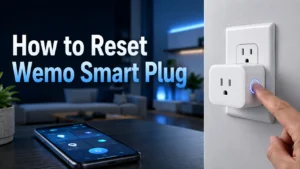
Quick answer: the reset steps for most Wemo smart plugs
For most Wemo smart plugs, unplug the device, plug it back in, then press and hold the reset button until the status light changes in a way described in the manual for your exact model. After that, open the Wemo app and add the plug again as a new device.
The exact light pattern and hold time can vary by model and firmware, so check the product label or official setup guide before you start. If you are troubleshooting a broader smart home issue, it can also help to review how your lighting and voice assistant setup is organized, especially if the plug is tied into a larger routine with smart lights for home automation or Alexa-compatible smart lights.
When to reset versus when to reboot or reconnect
A reboot is the lightest fix and usually means unplugging the plug for a few seconds and plugging it back in. Reconnecting is the next step if the plug is still on your network but the app or cloud service is having trouble.
A full reset is the better choice when the plug will not pair, was moved to a new Wi-Fi network, is being transferred to someone else, or keeps failing during setup. If the issue is only temporary, a power cycle may be enough and avoids wiping the saved pairing information.
What a Wemo Smart Plug Reset Actually Does
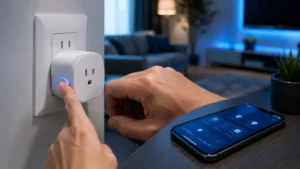
How the reset process clears Wi-Fi and app pairing
A factory reset removes the plug’s current Wi-Fi connection and breaks its link to your Wemo account or app pairing. That is why the device usually disappears from the app after the reset is complete.
It does not usually repair a hardware fault, but it can fix setup conflicts caused by a changed router, a new phone, or a corrupted pairing state. In smart home terms, the reset returns the plug to a first-time setup condition.
What settings are erased and what remains on the device
Most of the user-facing settings are erased, including network details, app association, and any local configuration tied to the previous setup. Automations, schedules, and voice assistant links often need to be recreated after the reset.
What remains depends on the model, but the physical plug, internal firmware, and basic hardware functions stay intact. If you are unsure what your version preserves, check the official manual or support page for your exact model number before resetting.
Wemo Smart Plug Models, App Requirements, and Setup Basics
Common Wemo plug types and how reset behavior can vary
Wemo has offered several smart plug styles over time, including compact plug-in models and versions with different button layouts or indicator lights. That matters because the reset method, LED behavior, and setup flow can vary slightly from one model to another.
Required app, Wi-Fi band, and account setup details to verify
Before resetting, confirm which Wemo app version your plug requires and whether your router is broadcasting the Wi-Fi band the device supports. Many smart plugs are sensitive to router settings, guest networks, mesh handoffs, and phone permissions during setup.
- Check the exact Wemo model number and setup instructions
- Confirm app compatibility, Wi-Fi band support, and router security settings
- Verify the account, voice assistant, and automation platform you plan to use
- Review warranty terms, software support, and any current safety notices
Dimensions, outlet fit, and placement considerations
Physical fit matters because some smart plugs are wider than a standard outlet face and can block the second socket. If you plan to use the plug behind furniture, a lamp, or a power strip, check the dimensions and clearance before reinstalling it.
Placement also affects wireless reliability. A crowded outlet area, metal furniture, or a weak router signal can make setup harder even after a successful reset.
Step-by-Step Guide to Resetting a Wemo Smart Plug
Standard factory reset method
Use the reset method described for your exact model, but the usual process is straightforward: keep the plug powered, press and hold the reset button, and wait for the status light to indicate that the device has returned to factory settings. Some models may require a longer press than others, so do not guess if the light pattern is unclear.
Resetting after a failed connection or app error
If the plug fails mid-setup, close the app, restart your phone, and try the pairing flow again before repeating the reset. Sometimes the issue is not the plug itself but a stale app session, an old network permission, or a router that needs a fresh connection.
If the app continues to report an error, remove the device entry from the app if possible, then reset the plug again and start from scratch. This is especially useful when the plug was partially added but never fully completed setup.
How to confirm the reset worked
You should see the plug behave like a new device, usually with a setup-ready light pattern and no active link to your old app configuration. In many cases, the device will no longer appear in your Wemo app until you add it again.
If the plug still appears connected to your network or responds to old automations, the reset may not have completed fully. Repeat the official reset steps and confirm that the device is no longer associated with the previous account or routine.
How to Reconnect and Reconfigure the Plug After Reset
Pairing the plug with the Wemo app
Once the plug is reset, open the Wemo app and follow the add-device prompts as if you were setting it up for the first time. Make sure your phone is on the same home network you want the plug to use, and keep Bluetooth or local permissions enabled if the app requests them.
Connecting to Wi-Fi, voice assistants, and routines
After the plug joins Wi-Fi, reconnect it to any voice assistant or smart home platform you use, such as Alexa, Google Home, or a broader automation setup. You may need to reauthorize the account and rebuild routines that referenced the old device entry.
If you use smart lighting or scenes in the same ecosystem, this is a good time to verify the whole routine still behaves as expected. A reset can break cross-device automations, so it is worth checking related devices like smart light switches and smart lights that work with Alexa if they share the same control system.
Testing automation, scheduling, and remote access
After reconnection, test the plug locally first, then test remote control from outside your home network if your setup supports it. Also check schedules, timers, and scenes to make sure the plug turns on and off at the right times.
If remote access works but a schedule does not, the issue may be in the automation platform rather than the plug itself. Recreate the schedule carefully and verify the time zone, trigger, and device name.
Common Reset Mistakes and Troubleshooting Tips
Why the plug may not enter reset mode
The most common reason is that the button was not held long enough, or the wrong button was pressed for that model. A weak power connection, an overloaded outlet, or a damaged plug can also prevent the reset sequence from starting correctly.
Problems caused by router settings, weak signal, or app version
Smart plugs often fail setup because of router security settings, band steering, guest network restrictions, or signal strength rather than a bad device. If your router recently changed, that alone can explain why the plug no longer connects.
Updating the app, restarting the router, and temporarily simplifying the network can help. If you are using a mesh system, place the plug near the main router during setup so it can complete pairing before you move it.
When a power cycle is enough and when a full reset is needed
Use a power cycle when the plug is frozen, unresponsive, or briefly disconnected from the app but still tied to your account. A full reset is better when the plug is being moved, resold, reassigned, or repeatedly fails to join Wi-Fi.
If you are troubleshooting other smart-home gear at the same time, keep the process simple and change one variable at a time. That makes it easier to tell whether the problem is the plug, the router, or the app.
Safe Use, Maintenance, and Long-Term Care
Heat, outlet load, and safe-use limits to check before reinstalling
Before putting the plug back into regular use, confirm the load on the outlet and the device you plan to control stays within the manufacturer’s rated limits. High-draw appliances, space heaters, and other heat-producing equipment often require extra caution and may not belong on a smart plug at all.
Cleaning, inspection, and storage guidance for smart plugs
Keep the plug clean and dry, and inspect the prongs and housing periodically for dust buildup or wear. Use a dry cloth only unless the manufacturer says otherwise, and never expose the device to water or damp locations unless it is specifically rated for that environment.
If you store the plug, keep it in a dry place with the manual and model information so you can reset it later without guessing. That is especially helpful if you rotate smart-home gear seasonally or move between homes.
Warranty details and replacement considerations to verify
Warranty coverage can vary by model, retailer, and region, so check the official terms before assuming a reset-related issue is covered. If the plug still fails after a proper reset, app update, router check, and safe-use inspection, replacement may be more practical than repeated troubleshooting.
Is Resetting the Wemo Smart Plug Worth It?
Best-fit users: renters, smart home beginners, and routine automators
Resetting a Wemo smart plug is usually worth it for people who want a quick way to recover from setup problems, move a device to a new network, or hand it off to someone else. It is especially useful for renters, students, and busy households that rely on simple schedules for lamps, fans, or small appliances.
Key benefits, limitations, and alternative fixes if resets fail
The main benefit is that a reset clears out pairing problems and gives you a clean start. The limitation is that it will not solve weak Wi-Fi, incompatible router settings, or damaged hardware, and it can also force you to rebuild automations from scratch.
If a reset does not help, the next best steps are usually checking the app version, moving the plug closer to the router, reviewing router settings, or consulting the official support guide for your exact model. For readers building a broader smart home, it can also help to compare how the plug fits into your lighting plan alongside options like smart lights and other connected accessories.
Transparent recommendation for 2026 users
For most users, a reset is the right first serious troubleshooting step when a Wemo smart plug will not pair or has been moved to a new network. Just match the procedure to the exact model, verify safe-use limits before reinstalling it, and confirm the app and router settings before assuming the hardware is at fault.
—
Frequently Asked Questions
Most Wemo smart plugs reset by staying powered while you press and hold the reset button until the status light changes. After that, add the plug again in the Wemo app using the normal setup flow.
The button may not have been held long enough, or the wrong control may have been pressed for that model. Router issues, weak power, or hardware damage can also make the reset seem like it failed.
A factory reset clears Wi-Fi details, app pairing, and most saved configuration tied to the previous setup. Schedules and voice assistant links usually need to be created again.
Yes, you usually need the app to pair the plug again and finish setup. The exact app version and permissions can vary by model and phone.
Reboot first if the plug is only temporarily unresponsive or briefly disconnected. Use a full reset when pairing fails, the Wi-Fi network changed, or you are giving the plug to someone else.
Confirm the plug is not damaged, the outlet is safe, and the connected device stays within the manufacturer’s load limits. Also verify router settings, app updates, and any automation or voice assistant links.