When Did Backup Cameras Become Standard in Cars
Backup cameras became standard on most new U.S. cars with the 2018 model year. Before that, they were often optional, so used-car buyers should verify the exact trim and equipment list.
Backup cameras became standard on new U.S. passenger vehicles starting with the 2018 model year, after a federal rule took effect in 2018. That means many cars had them earlier as a trim-level feature, but by then they were required on most new vehicles sold in the U.S.
- Standard year: In the U.S., backup cameras became standard on most new vehicles with the 2018.
- Trim matters: Earlier cars may still have a camera if the feature was optional or included.
- Use limits: Cameras help with rear visibility, but mirrors and shoulder checks are still necessary.
- Buying tip: Check the exact model, trim, display type, and camera condition before buying new or.
When Did Backup Cameras Become Standard in Cars? The Short Answer Up Front
If you are asking when backup cameras became standard in the U.S., the simple answer is 2018 model year vehicles. The important nuance is that “standard” can mean different things depending on whether you are looking at federal requirements, a specific automaker’s trim lineup, or a used car from an earlier year.
For shoppers, that means the safest way to verify a car is to check the exact model year, trim, and equipment list rather than assuming every vehicle from a certain year has the same setup. If you are comparing vehicles with other tech features, it can help to think about backup cameras the same way you would think about multi-port charger compatibility: the headline feature is one thing, but the real answer depends on the specific version you buy.
What “Standard” Means: Federal Rules, Trim Levels, and Model-Year Differences
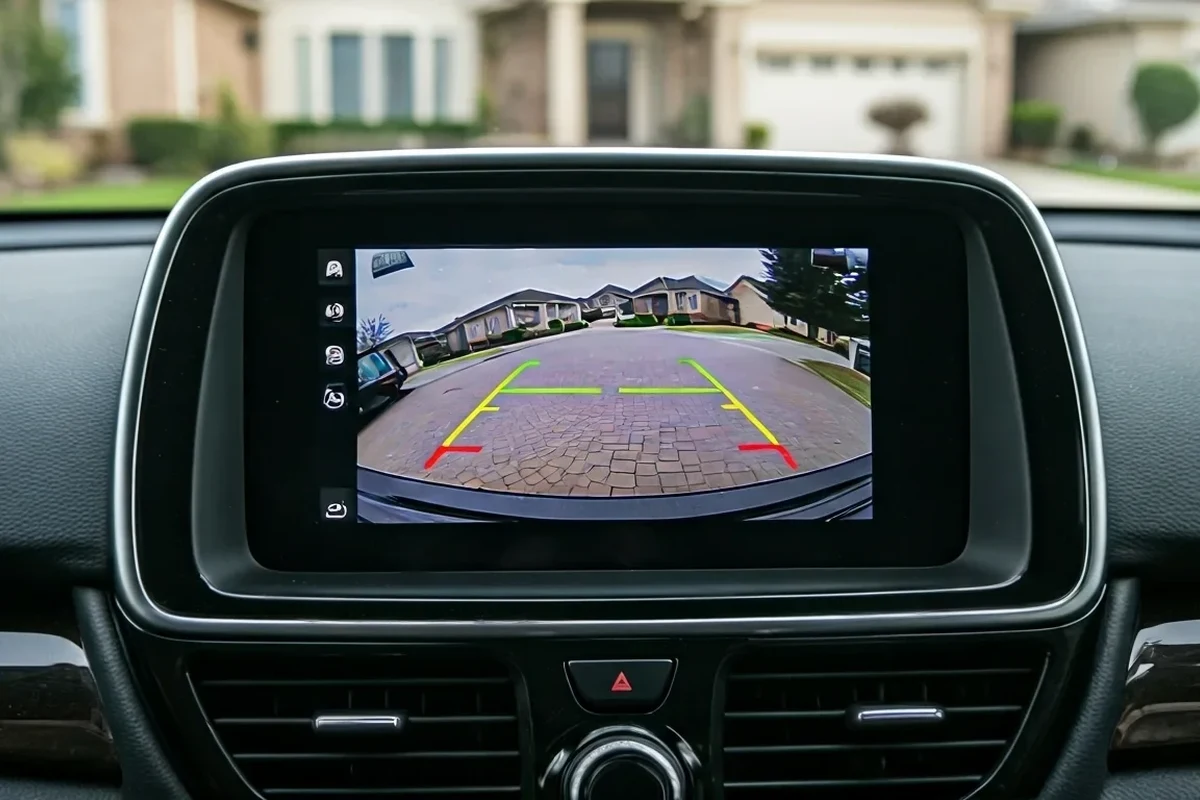
In car shopping, “standard” can mean three different things. First, a feature may be standard on a specific trim level. Second, it may be optional through a package or standalone add-on. Third, it may be required on all new vehicles sold in a market because of a federal safety rule.
That distinction matters because a 2016 sedan might have a backup camera on one trim and not another, while a 2018 model sold in the U.S. generally had to include one. Used-car listings can also be confusing if the seller does not list the original equipment accurately, so it is always worth confirming the window sticker, build sheet, or owner’s manual when available.
Why some cars had backup cameras long before they were required
Automakers began adding backup cameras before they were mandatory because drivers liked the convenience and because rear visibility was becoming a selling point. Larger vehicles, taller trunks, and more crowded parking lots made rear-view assistance attractive even before regulators stepped in.
In practice, this means some luxury cars, SUVs, and minivans offered cameras years earlier than budget sedans and compact cars. If you are shopping older vehicles, do not assume that “pre-2018” automatically means “no camera”; it simply means the feature was not yet universally required.
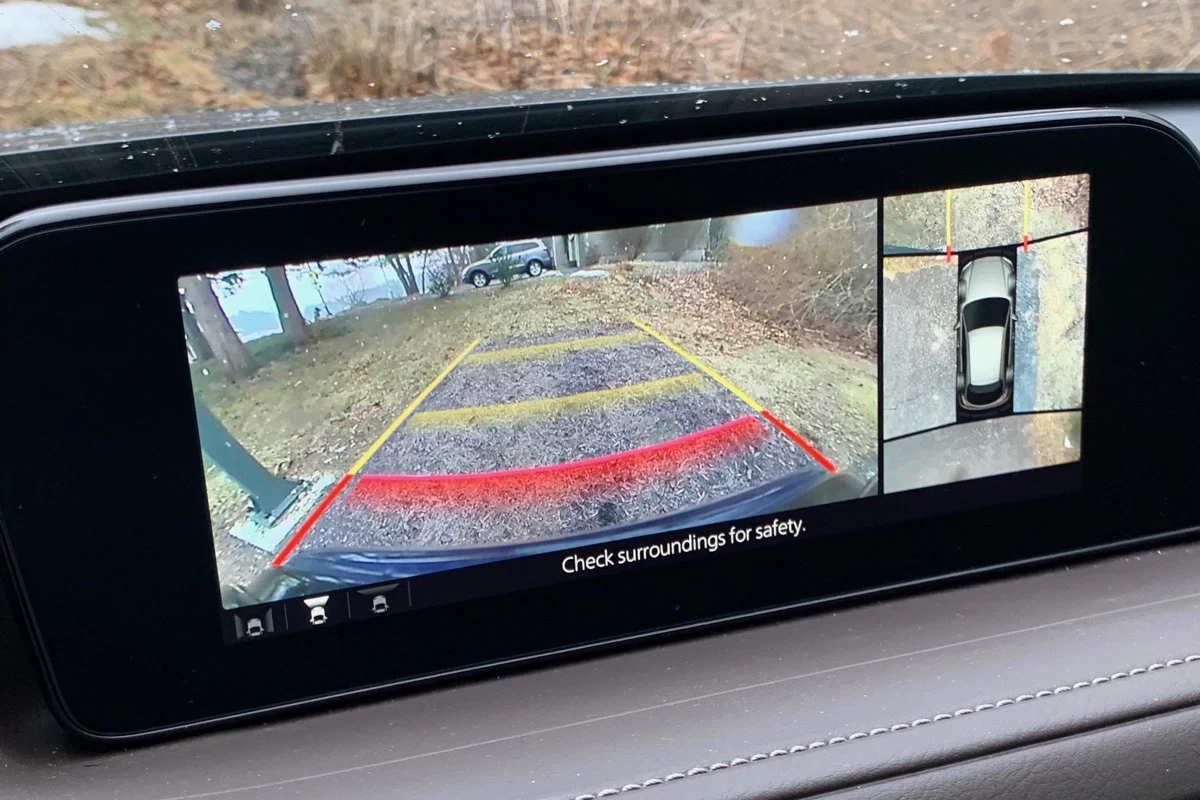
Backup cameras are often paired with parking guidelines on the screen, but those lines are not always perfectly accurate unless the system is calibrated for that exact vehicle and camera angle.
The key U.S. milestone and how it changed new-car availability
The major U.S. milestone was the federal rear visibility rule that took effect for new vehicles in the 2018 model year. After that point, backup cameras became part of the baseline equipment on most new passenger vehicles sold in the U.S., which made them far more common in everyday driving.
That change also affected expectations. Buyers started assuming a rear camera would be present, just like they assume a modern infotainment screen or Bluetooth pairing on many new cars. If you are curious about how feature expectations shift over time, the same kind of “standard vs. optional” confusion shows up in many consumer tech categories, including whether multi-port chargers work for all devices.
How Backup Cameras Work and What Drivers Should Expect
A backup camera is usually mounted at the rear of the vehicle and sends a live video feed to a display in the cabin. The system is designed to reduce blind spots directly behind the car, especially at low speeds when backing out of driveways, parking spaces, or tight garages.
Drivers should treat the camera as a visibility aid, not a perfect replacement for mirrors or looking around the vehicle. The image can be useful, but the field of view, brightness, and distortion vary by camera design and screen quality.
Camera placement, display types, and parking guidelines
Most factory cameras are placed near the trunk handle, license plate area, or rear bumper. That location gives a broad view of the area behind the vehicle, but it can also make the lens more vulnerable to dirt, snow, water spray, and road grime.
Displays may appear in a built-in infotainment screen, a rearview mirror display, or a separate monitor in aftermarket systems. Parking guidelines may be fixed or dynamic; dynamic lines can bend with steering input, while fixed lines stay in one place. The exact behavior depends on the manufacturer and software version.
Guideline behavior, screen resolution, and image brightness vary by model, trim, and firmware. Always check the owner’s manual for your exact vehicle before assuming the camera works the same way as another car of the same brand.
Connection paths: factory systems, infotainment screens, and aftermarket kits
Factory systems are integrated into the vehicle’s electrical and display architecture, so they usually feel seamless. Aftermarket kits can be a good option for older cars, but compatibility matters: the camera, display, wiring harness, and reverse-light trigger must all match the vehicle and head unit.
If you are considering a retrofit, verify whether the kit is wired or wireless, whether it supports your car’s infotainment system, and whether installation requires dash removal or tailgate routing. For buyers who want a broader comparison of performance claims, our guide on whether multi-port chargers improve performance is a helpful example of why “works well” depends on the setup, not just the product category.
Who Backup Cameras Help Most in Daily Driving
Backup cameras are useful for nearly everyone, but they are especially helpful for drivers who regularly park in tight spaces or manage vehicles with poor rear visibility. They reduce the guesswork when backing up and can make everyday driving less stressful.
Families, new drivers, city drivers, and owners of larger vehicles
Families often appreciate cameras because they add awareness in driveways and school pickup areas. New drivers may find them reassuring while learning to judge distance. City drivers benefit from easier parallel parking and crowded lot maneuvering, while owners of SUVs, vans, and trucks gain a better view of the area directly behind the vehicle.
- Use the camera as a final check before moving, not as the only way to back up.
- Learn where your camera’s blind spots are by reviewing the owner’s manual and practicing in an empty lot.
- Keep the lens clean, especially in rain, snow, or dusty conditions.
When a backup camera is helpful but not enough on its own
A camera cannot see everything. Low objects, pedestrians approaching from the side, and hazards outside the lens’s field of view can still be missed. Sun glare, darkness, or a dirty lens can also reduce image clarity.
That is why safe backing still requires mirrors, a shoulder check, and slow movement. The camera should support those habits, not replace them.
Important Specs and Buying Criteria for Modern Backup Camera Systems
If you are shopping for a car with a camera or considering an aftermarket upgrade, focus on a few practical criteria rather than marketing language. A camera that looks impressive in photos may still be hard to use if the screen is small, the image lags, or the lens fogs up easily.
Image quality, viewing angle, low-light performance, and weather resistance
Image quality matters most when the lighting is poor or the parking area is tight. A wider viewing angle can help you see more of the space behind the car, but extreme wide-angle lenses may also introduce distortion that makes distance harder to judge.
Low-light performance is especially important for drivers who leave work after dark or park in dim garages. Weather resistance also matters because exterior cameras face rain, snow, salt, and temperature swings. If the manufacturer lists water resistance or environmental protection, verify what that rating actually means rather than assuming it covers every condition.
- Check the exact vehicle model, trim, and model year.
- Verify whether the system is factory-installed or aftermarket.
- Confirm display type, lens angle, and weather protection details in the manual.
- Review warranty terms, return policy, and installation requirements.
Screen size, response time, wireless vs. wired setups, and installation complexity
Screen size affects readability, but so does placement. A slightly smaller screen in a better location can be easier to use than a larger screen that forces you to look away from the road for too long.
Response time matters because lag can make the image feel disconnected from the car’s movement. Wired systems are usually more stable, while wireless kits can be easier to install but may depend more on signal quality and vehicle layout. Installation complexity varies widely, especially if the job requires removing trim panels, routing cables through a hatch, or integrating with an existing head unit.
Compatibility, warranty details, and what to verify before buying
Before buying any camera system, confirm compatibility with your exact vehicle and display. A system that fits one trim may not work on another because of different connectors, software, or infotainment architecture.
Also check whether the warranty covers only the camera itself or the full kit, including wiring and monitor components. If the seller or manufacturer offers firmware updates, read the update notes carefully and only install them through official channels. For shoppers who care about reliability and battery-related claims in other tech categories, our article on whether multi-port chargers improve battery life shows why real-world results can differ from product marketing.
Real-World Benefits, Safety Gains, and Common Limitations
Backup cameras make everyday driving easier by improving rear visibility in situations where mirrors alone are not enough. They are especially useful in crowded parking lots, narrow garages, and driveways with children, pets, or obstacles close to the bumper.
Reduced blind spots, easier parking, and better confidence in tight spaces
The biggest benefit is reduced uncertainty. Drivers can see what is directly behind the vehicle before moving, which makes parking and reversing feel more controlled. That extra confidence can be especially valuable for people who drive larger vehicles or are still building parking skills.
In day-to-day use, the feature often saves time because drivers spend less effort inching backward and rechecking their surroundings. It can also reduce minor scrapes and parking mistakes, though it cannot eliminate them entirely.
Limitations: glare, dirt, bad weather, and camera distortion
Backup cameras have predictable weaknesses. Bright sunlight can wash out the image, rain and snow can obscure the lens, and road salt or mud can make the picture blurry. Some cameras also use a very wide angle, which can distort distance and make objects appear farther away than they are.
If the camera image is obscured, frozen, delayed, or missing, do not rely on it. Back up slowly using mirrors and direct observation, and service the system if the issue continues.
Evidence limits and why drivers should still use mirrors and shoulder checks
Safety technology helps most when it supports good driving habits. A backup camera can reduce blind zones, but it does not replace mirror checks, shoulder checks, or careful speed control while reversing.
That balanced approach is important because no camera can see every angle or predict movement from people, bikes, carts, or pets. The best use of the system is as one more layer of awareness, not the only layer.
Common Mistakes, Safe Use, and Maintenance Tips
Most backup camera problems are not dramatic; they are usually about dirt, alignment, or settings. A little routine care can keep the system readable and reliable for longer.
Cleaning the lens, checking wiring, and keeping the display readable
Clean the lens gently with a soft cloth and a cleaner that is safe for automotive surfaces. Avoid harsh abrasives, which can scratch the camera cover and make the image hazy.
For wired systems, inspect visible wiring for wear, loose connectors, or damage from trunk movement or weather exposure. Also keep the display brightness and contrast set high enough to remain visible in daylight without becoming distracting at night.
Calibration issues, misaligned guides, and overreliance on the camera
If parking guidelines look off, the camera may need calibration or the vehicle may have a mounting issue. Misaligned lines can make distance judgment harder, especially if the camera was replaced or the rear bumper was repaired.
Drivers can also become too dependent on the screen and stop checking the area around the vehicle. That habit is risky, especially in driveways and parking lots where people or pets may move unexpectedly.
When to inspect, repair, or replace a failing camera system
Inspect the system if the image flickers, goes black, shows permanent distortion, or cuts out when the vehicle shifts over bumps. Those symptoms can point to a loose connection, display issue, or failing camera module.
If the camera housing is cracked, the lens is heavily clouded, or the image quality has degraded enough to make backing unsafe, replacement may be the better option. For factory systems, the owner’s manual and dealer service information are the best references; for aftermarket systems, check the manufacturer’s support documents and warranty terms.
Final Recommendation: What Car Buyers Should Look for in 2026
For new-car shoppers, the main question is not whether backup cameras are standard in principle, but whether the specific car you are considering includes a camera with a clear, usable display and good low-light performance. For used-car buyers, verify the exact trim and equipment list instead of assuming the feature is present because of the model year alone.
Retrofit shoppers should focus on compatibility, installation quality, and display integration more than on fancy extras. A simple, well-mounted system that works reliably is usually better than a more complex setup that lags, distorts, or is hard to maintain.
Backup cameras became standard on U.S. new cars with the 2018 model year, but the best choice still depends on trim, vehicle size, and how well the system is integrated. They are a valuable safety and convenience feature, yet drivers should still rely on mirrors, shoulder checks, and regular lens cleaning for safe everyday backing.
Frequently Asked Questions
Backup cameras became standard on most new U.S. vehicles starting with the 2018 model year. Before that, they were often optional or trim-dependent.
Yes. Many automakers offered them years earlier on higher trims, larger vehicles, or as part of optional packages.
No. Screen size, image quality, parking guidelines, and camera placement can vary by model and trim.
No. Drivers should still use mirrors and shoulder checks because cameras have blind spots, glare, and weather-related limitations.
Check the exact model year, trim, and equipment list, and confirm that the camera, display, and wiring all work properly.
Compatibility, display quality, installation complexity, and weather resistance matter most. Always verify the kit works with your vehicle and head unit before buying.