Does Arlo Video Doorbell Connect to Base Station Guide
Some Arlo video doorbells can connect to a base station or SmartHub, but compatibility depends on the exact model. Many Arlo doorbells are designed to work directly over Wi-Fi, so you should verify the model before buying or setting up.
If you’re asking whether an Arlo video doorbell connects to a base station, the short answer is: sometimes, but not always. Many Arlo doorbells are designed to connect directly to Wi-Fi, while some can also work with an Arlo SmartHub or base station for added storage and system integration.
- Model matters: Arlo base-station support is not universal across all doorbells.
- Wi-Fi is common: Many Arlo doorbells connect directly to your router instead of a hub.
- Verify first: Check the official compatibility list, app requirements, and power source before installation.
- Hub benefits vary: A base station may help with storage or ecosystem management, but it will not.
Does Arlo Video Doorbell Connect to Base Station? The Short Answer and What It Means
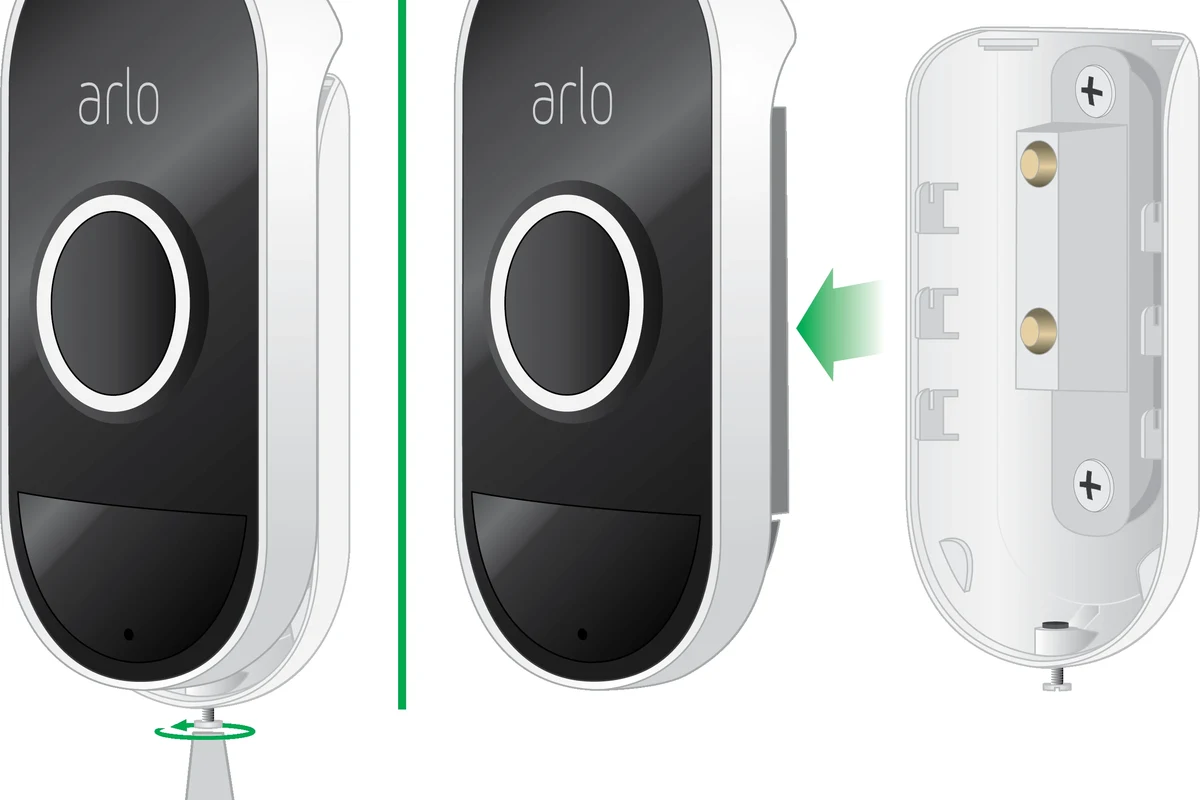
The important detail is that “Arlo video doorbell” is not one single product path. Compatibility depends on the exact model, the firmware, and whether Arlo lists support for a SmartHub or base station in the official setup instructions.
In practice, the base station is usually not the primary connection for the doorbell’s video stream. Instead, it can act as part of the wider Arlo ecosystem, helping with local storage on supported systems, network management, or device coordination. If you are comparing setup options, it also helps to understand how much a video doorbell costs and whether a subscription or extra hub changes the total value.
How Arlo Video Doorbell Connectivity Works in 2026
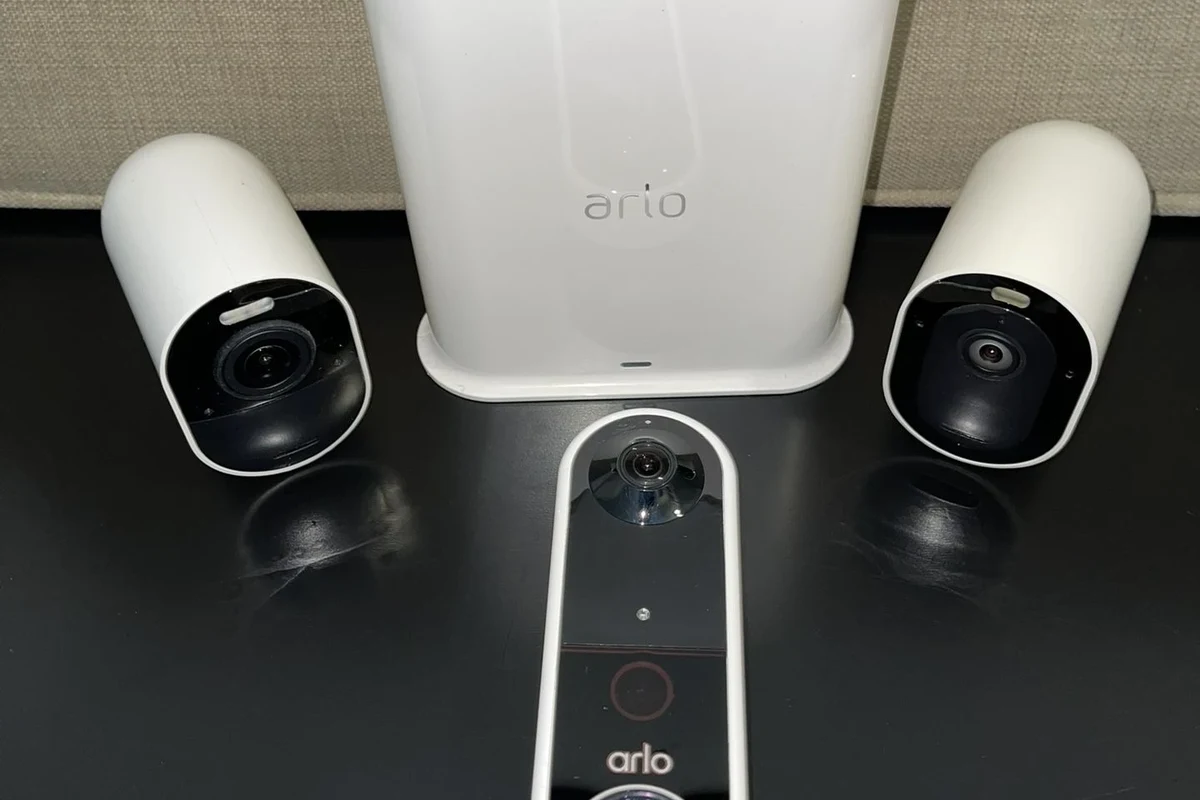
Arlo doorbells generally rely on your home network and the Arlo app for setup, live view, alerts, and device management. The doorbell may connect directly to your Wi-Fi router, or it may use a hub-based workflow if the model supports it.
This matters because the base station is not just an “extra accessory.” It can change where some data is stored, how devices are organized, and how your system behaves during weak Wi-Fi conditions. For homeowners trying to build a broader security setup, it can also help to compare doorbell options against whether video doorbells are worth it for home security.
Direct Wi-Fi vs. Base Station: What Each Connection Actually Does
Direct Wi-Fi means the doorbell communicates through your router and internet connection. That is the most common setup for modern smart doorbells because it keeps installation simpler and avoids depending on extra hardware.
A base station or SmartHub, when supported, may add local storage options, improve device grouping, or serve as part of a mesh-like home security ecosystem. However, it does not automatically make every Arlo doorbell compatible, and it does not replace the need for a stable internet connection if you want remote alerts and app access.
Arlo naming can be confusing. “Base station,” “SmartHub,” and “hub” are sometimes used differently depending on the model and region, so always check the official compatibility list for your exact device.
Which Arlo Doorbell Models Support a Base Station
Support depends on the specific model family. Some Arlo video doorbells are built around direct Wi-Fi and may not require a hub at all, while other Arlo security devices in the ecosystem work more closely with a SmartHub or base station.
Because model support can change with firmware and regional product variations, the safest approach is to verify the doorbell’s setup guide, product page, and app pairing instructions before buying. If you are still deciding which style of doorbell fits your home, this can be a good time to review what kind of video doorbell you should buy.
Compatibility Checklist Before You Buy or Set Up
The best way to avoid frustration is to confirm compatibility before mounting anything. A doorbell that looks similar to another Arlo model may still have different power requirements, network requirements, or hub support.
- Check the exact model number and official Arlo compatibility notes
- Confirm whether the doorbell is wired, battery-powered, or both
- Verify if your home Wi-Fi band and router settings are supported
- Review whether a base station or SmartHub is optional, required, or unsupported
- Confirm app, account, and subscription requirements before setup
Model Compatibility, Power Requirements, and Network Setup
Doorbell power is one of the most common setup blockers. Some Arlo doorbells need existing doorbell wiring, while others can run on battery power or a combination of both, depending on the product.
Network setup matters just as much. If your Wi-Fi signal is weak at the front door, the doorbell may still install but perform poorly in real use. That can show up as delayed alerts, dropped live view sessions, or slower response times. A base station may help with certain system designs, but it is not a fix for every weak-network problem.
App, Wi-Fi Band, and Smart Home Integration Requirements
Most Arlo doorbells depend on the Arlo app for pairing, notifications, and settings. You should confirm that your phone’s operating system and the current app version are supported before setup.
Wi-Fi band support can also matter. Many smart home devices prefer 2.4 GHz for range, but actual support varies by model. If you use Apple Home, Alexa, or Google Home, verify current integration support in the official app or help center rather than assuming every feature will carry over. For readers focused on Apple compatibility, this related guide on video doorbells that work best with Apple may help narrow the search.
If you are setting up a doorbell at the edge of Wi-Fi range, test signal strength near the front door before final mounting. That can save time if you need a router change, extender placement, or a different installation plan.
Step-by-Step Setup Guide: Connecting an Arlo Video Doorbell to the Right System
The setup process is usually straightforward when the model, power source, and network path are confirmed in advance. The main decision is whether your doorbell should connect directly to Wi-Fi or through a supported Arlo hub system.
Initial Installation and App Pairing
Check the label, manual, or product page so you know whether the doorbell is wired, battery-powered, or hub-compatible.
Use the official app and follow the current pairing flow for your exact model.
Follow the on-screen instructions, including any QR code, button press, or Wi-Fi selection step.
Verify that the app receives motion or doorbell alerts and that live video loads reliably from your front door.
When to Use an Arlo Base Station and When to Skip It
Use a base station or SmartHub only when your specific Arlo doorbell supports it and you have a clear reason to add one. That reason is often local storage, ecosystem convenience, or a preferred hub-based setup.
Skip the base station if your model is designed for direct Wi-Fi and already meets your needs. Adding extra hardware that the model does not need can complicate troubleshooting without improving the experience.
In many smart home systems, the hub is more useful for storage and device management than for improving the camera’s actual video quality.
Key Benefits of Using a Base Station with Arlo Doorbells
When supported, a base station can be helpful for users who want more than a simple app-connected doorbell. The value comes from system organization, storage options, and sometimes steadier device handling within the Arlo ecosystem.
Storage, Stability, and Notification Performance
One common benefit is local storage support on compatible systems. That can be attractive for people who prefer to reduce dependence on cloud-only workflows, though the exact recording behavior still depends on the model and Arlo’s current feature set.
Another possible benefit is stability. In some home setups, a hub-based connection can make device management feel more consistent, especially when several Arlo devices are already installed. But that does not guarantee faster alerts in every home, since router quality, internet performance, and placement all matter.
- Can add local storage on supported systems
- May simplify management for multi-device Arlo homes
- Can fit users who want a more centralized setup
- Not supported by every doorbell model
- Adds another device to power and maintain
- Does not solve poor Wi-Fi or weak internet by itself
Security and Smart Home Experience Trade-Offs
A hub can improve convenience, but it also adds another component to update, place, and troubleshoot. That means more setup steps and one more device to keep online.
For smart home users, the best experience often comes from deciding whether you want a simple direct-to-Wi-Fi doorbell or a broader Arlo ecosystem. If your priority is overall image clarity rather than hub features, it may also be worth comparing against video doorbells with the best picture quality.
Limitations, Common Mistakes, and Troubleshooting Issues
Most problems happen when users assume every Arlo doorbell works the same way. In reality, the model, app version, power source, and router setup can all affect whether the doorbell connects cleanly.
Connection Failures, Power Problems, and Signal Weakness
If the doorbell will not connect, start with the basics: verify power, confirm your Wi-Fi password, and check whether the doorbell is actually supported by the hub you are trying to use. A weak signal at the front door can also cause repeated dropouts even after a successful setup.
Power issues are another common source of confusion. A doorbell may appear to be “offline” when the real issue is insufficient charging, wiring problems, or interrupted power delivery. If anything seems damaged, overheating, or unstable, stop using it and follow the manufacturer’s guidance.
Stop using damaged electronics, swollen batteries, frayed cables, overheating chargers, or unstable appliances and follow the manufacturer’s guidance.
Misunderstood Features: Local Storage, Live View, and Subscription Limits
One of the biggest misunderstandings is assuming a base station automatically gives every feature. Local storage, cloud history, event length, and smart alerts can vary by model, region, and subscription status.
Live view can also be misunderstood. A hub does not necessarily make live video instant or unlimited. If your internet connection is weak, or if the app is out of date, live view may still lag or fail. For buyers comparing ecosystem costs, the broader decision often overlaps with finding the best value video doorbell.
Who This Setup Fits Best in a Real Home Use Case
The right answer depends on how many smart devices you own, how strong your Wi-Fi is, and whether you want a simple front-door camera or a fuller security platform. Arlo’s base-station path is most useful when you want the ecosystem benefits, not just a doorbell that rings your phone.
Best for Apartment, House, and Multi-Device Arlo Users
Apartment users often do fine with a direct Wi-Fi setup if the signal is strong and they want minimal hardware. House owners with a front door far from the router may benefit more from careful placement or a hub-based ecosystem if the model supports it.
Multi-device Arlo users are the group most likely to appreciate a base station. If you already have Arlo cameras, a hub may simplify management and storage decisions, especially when you want one app-centered security routine.
| Option | Best For | Key Consideration |
|---|---|---|
| Direct Wi-Fi | Simple setups and single-device users | Needs strong router coverage at the front door |
| Base station or SmartHub | Supported models in multi-device Arlo homes | Verify model compatibility before buying |
| No hub at all | Users who want fewer components | May be the cleanest choice if the doorbell is designed for Wi-Fi only |
When a Base Station Is Not Necessary
If your Arlo doorbell is designed for direct Wi-Fi and you are happy with the app experience, a base station may add cost and complexity without adding much value. That is especially true for renters, students, or homeowners who want one less box to power and maintain.
It is also unnecessary if your primary concern is simply getting a reliable doorbell camera online. In that case, a strong Wi-Fi signal, correct power setup, and current firmware matter more than extra hardware.
Final Verdict: Is an Arlo Base Station Worth It for Your Video Doorbell?
For most buyers, the real answer is not “yes” or “no” to the base station itself. It is whether your exact Arlo doorbell model supports one and whether you actually need the extra storage or ecosystem features it can provide.
Value, Maintenance, and What to Verify Before Purchasing
If you want a straightforward doorbell, direct Wi-Fi is often the cleaner choice. If you already use Arlo cameras and your specific doorbell model supports a base station, the hub can make sense for centralized management and storage.
Before you buy, verify the model number, app requirements, power source, Wi-Fi band support, and current Arlo compatibility notes. That quick check is usually the difference between a smooth setup and a return.
An Arlo video doorbell may connect to a base station, but only if the exact model supports that setup. For many users, direct Wi-Fi is enough; choose the base station only when you need its ecosystem or storage benefits and have confirmed compatibility first.
Frequently Asked Questions
No. Compatibility depends on the exact model, firmware, and Arlo’s current setup guidance. Always check the official product page or manual before buying or installing.
It can help with storage and ecosystem management on supported systems, but it will not fix weak Wi-Fi or poor internet service. Performance still depends on router placement, signal strength, and model support.
Usually no. Live view is typically managed through the app and your network connection, though exact behavior varies by model and current Arlo features.
Check the exact model number against Arlo’s official compatibility list and setup instructions. If the documentation does not mention hub support, do not assume it will work.
Verify power requirements, Wi-Fi band support, app version, and whether the doorbell is wired or battery-powered. Also confirm any subscription or storage requirements that apply to your model.
If your Arlo doorbell is designed for direct Wi-Fi and you do not need local storage or hub-based management, a base station may add unnecessary cost and complexity. In that case, a simple app-connected setup is usually better.