Do You Need Internet for Ring Video Doorbell Explained
Yes, Ring Video Doorbells generally need internet for the features most people want, including live view, alerts, and remote access. Without Wi‑Fi or a stable connection, they lose much of their smart functionality.
If you want live video, app alerts, remote viewing, or cloud recording, then yes—you generally need internet for a Ring Video Doorbell. It may still ring locally in limited ways without Wi‑Fi, but most of the features people buy it for depend on a stable internet connection.
- Internet-dependent: Ring’s main security and app features need Wi‑Fi and internet access.
- Offline limits: Basic power may remain, but live view, alerts, and cloud history are reduced or.
- Network matters: Strong signal and enough upload speed are just as important as the doorbell model.
- Best fit: Homeowners, renters, and apartment users with reliable internet get the most value.
- Verify first: Check app compatibility, mounting space, power type, and subscription requirements before buying.
Do You Need Internet for Ring Video Doorbell? The Short Answer
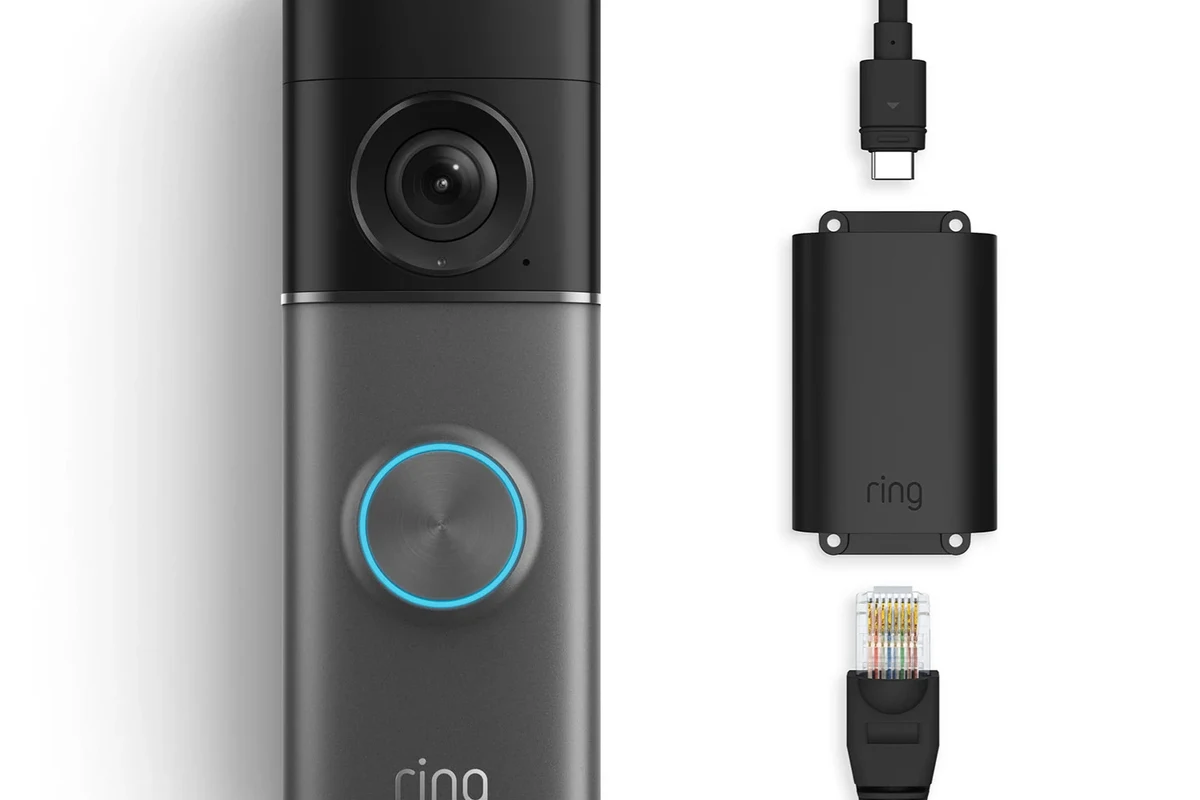
Ring Video Doorbells are designed as connected smart-home devices, not standalone doorbells. That means the doorbell can sometimes power on and chime locally, but the camera, notifications, and app-based controls rely on your home network and internet service.
The practical takeaway is simple: if you have no internet, a Ring doorbell is usually not the right choice for full-time security or remote access. If your internet is weak or unreliable, the doorbell may work inconsistently, which can be frustrating for anyone expecting dependable motion alerts or live video.
How a Ring Video Doorbell Works Without and With Internet
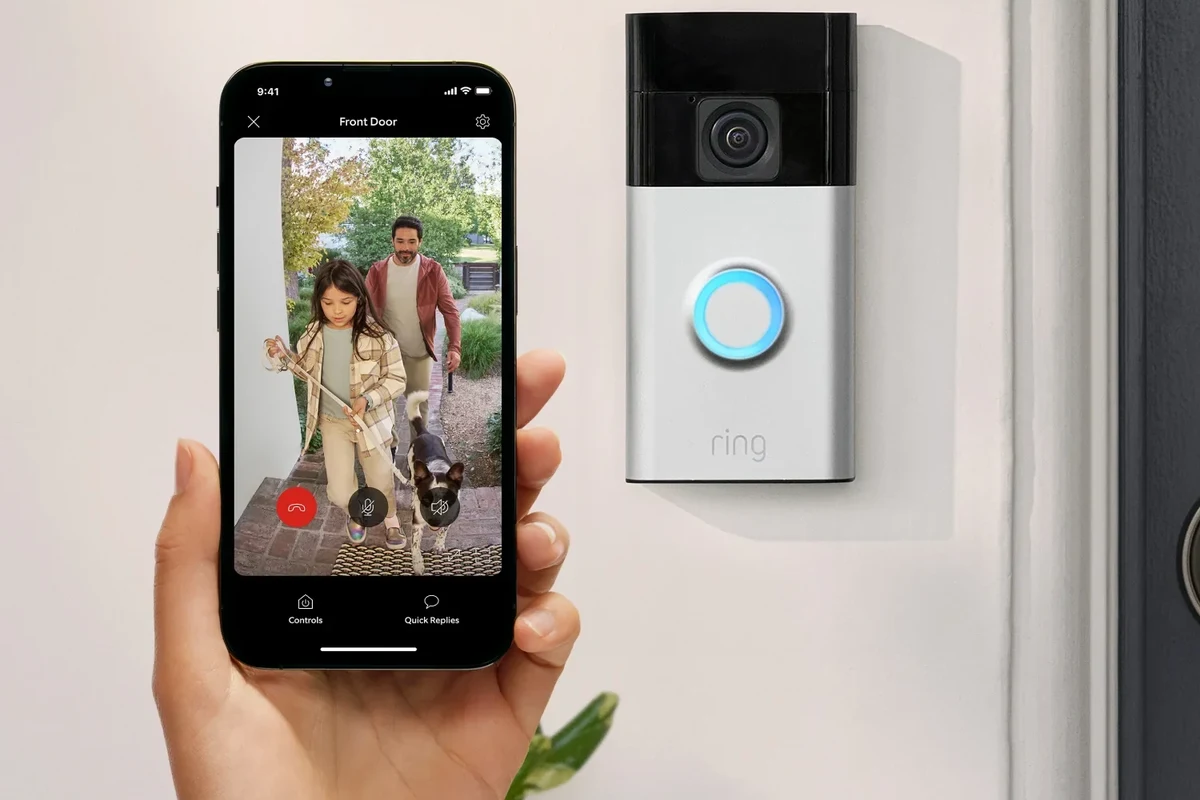
A Ring Video Doorbell uses local power from a battery or wired connection, but it depends on Wi‑Fi to communicate with the Ring app and Ring’s cloud services. In normal use, the device detects motion, sends data through your router, and then pushes alerts to your phone or tablet.
Because Ring’s core features are cloud-connected, there is a big difference between “powered on” and “fully functional.” The doorbell may still make a sound at the door or trigger a local chime in some setups, but the smart features are limited once internet access drops.
What the doorbell can do on local power alone
Without internet, a Ring doorbell may still have basic doorbell behavior if it has power from the battery or door wiring. In some homes, a connected indoor chime may still ring, but that depends on the model and how it is wired.
Some models may also keep recording locally in very limited situations, but Ring’s most useful features generally do not operate as a true offline system. If you are trying to protect an apartment entry, rental door, or front porch with no dependable internet, you should not assume the doorbell will behave like a traditional wired chime plus camera combination.
Feature behavior can vary by Ring model, firmware version, and how the device is powered. Always verify the current product manual and app documentation before buying.
What features stop working without Wi‑Fi or internet access
Once Wi‑Fi or internet access is lost, the biggest missing features are remote viewing, motion alerts, cloud event history, and two-way talk through the app. You also lose the convenience of checking who is at the door when you are away from home.
In practical terms, that means a Ring doorbell without internet becomes much less useful as a security and convenience device. If your goal is package monitoring, visitor screening, or delivery alerts, those are internet-dependent features.
- Can still provide basic doorbell power in some setups
- May ring a local chime depending on model and wiring
- No reliable remote access without internet
- Motion alerts and cloud video features stop or become limited
Internet, Wi‑Fi, and App Requirements You Should Verify in 2026
Before buying, confirm that your home network can support a connected doorbell where you plan to install it. For a Ring device, that usually means a compatible router, a stable wireless signal at the door, and enough upload speed for video events to send smoothly.
It is also smart to check the current Ring app requirements in your phone’s app store listing and the product’s support pages. App support, operating system compatibility, and setup steps can change over time.
- Confirm the Ring model, power type, and current app requirements
- Check Wi‑Fi coverage at the door before mounting anything
- Review privacy settings, update support, and warranty terms
Home network basics: router, signal strength, and upload speed
A Ring doorbell needs a Wi‑Fi connection that reaches the front door reliably. If the signal is weak through brick, metal, thick walls, or long distances from the router, the device may disconnect, delay alerts, or miss events.
Upload speed matters too because the doorbell must send video and motion data out of your home network. If several people stream, game, or work from home at the same time, performance can drop during busy hours. If your router is older or your internet plan is very limited, check whether the system can handle another always-on camera device.
Before drilling or mounting, test Wi‑Fi at the doorway with your phone. If the signal is poor there, consider a mesh node, a better router location, or a different doorbell solution.
Ring app setup, account login, and mobile compatibility
Ring setup generally requires the official app, an account, and a phone or tablet that can run the current software version. If you are using an older device, check compatibility first so you do not get stuck halfway through installation.
Remember that app access is not just for setup. You will likely use the app for live view, notifications, device settings, motion zones, and account management. If you share access with family members, roommates, or property managers, make sure everyone who needs access can sign in properly and understand the privacy settings.
Many smart doorbell issues come from weak Wi‑Fi coverage rather than the doorbell hardware itself.
Who a Ring Video Doorbell Fits Best
Ring makes the most sense for people who already have dependable home internet and want app-based alerts, visitor screening, and package awareness. It is especially useful when the front door is a frequent delivery point or when you want to see who is outside before opening the door.
If you are comparing brands or deciding whether the ecosystem is the right fit, it can help to read a broader guide like is a Ring Video Doorbell worth it in 2026 or a model-focused roundup such as the best Ring Video Doorbell for home use.
Ideal users for apartments, houses, and rental properties
Apartment residents often like video doorbells because they can monitor the entryway without installing a full security system. Homeowners may prefer them for package monitoring, porch visibility, and quick visitor checks.
Renters should be careful about mounting rules, power access, and whether the landlord allows hardware changes. Battery models can be easier for temporary use, while wired models may fit better for permanent installations if the building already has compatible wiring.
When a Ring doorbell is not the best match
A Ring doorbell may not be the best choice if your home has no reliable internet, if the Wi‑Fi signal is weak at the door, or if you want a device that works well offline. It is also a poor fit if you need a more privacy-focused system, local storage without cloud dependence, or a setup that does not require ongoing app management.
If you are still comparing options, it may help to look at alternatives such as video doorbells better than Ring or a privacy-oriented option like the most private video doorbell for home security.
Key Specs and Decision Criteria Before You Buy
When internet is part of the equation, the best doorbell is not just the one with the nicest camera. It is the one that fits your power setup, doorway layout, network quality, and comfort level with app-based features.
If you want to compare options more broadly, you can also review what kind of video doorbell you should buy before narrowing down a Ring model.
Power options, battery life, and wired vs. battery models
Ring offers battery-powered and wired-style options, and the best choice depends on how your door is set up. Battery models are often easier to install, but they require charging, which means periodic maintenance and downtime while the battery is out of the device.
Wired models can be more convenient if your home already has compatible doorbell wiring, but you should verify voltage and installation requirements in the official manual. Do not assume every existing doorbell wire is automatically compatible.
Stop using any device that shows swelling, overheating, frayed wiring, loose mounting, or physical damage. Follow the manufacturer’s instructions and contact support if the unit behaves abnormally.
Dimensions, mounting space, and doorway clearance
Doorbell cameras need enough room for the mount, the angle you want, and any nearby trim, screen door, or storm door clearance. A device that looks compact online can still interfere with a narrow frame or sit too close to a door that swings outward.
Before buying, measure the area around the existing button or wiring location. Also check whether the camera angle will actually capture visitors, packages, and the walkway instead of a wall, railing, or reflective surface.
Video quality, motion detection, and two-way audio trade-offs
Better video quality can help you identify faces, packages, and movement more clearly, but it may also demand more from your network. Motion detection settings are useful, yet they can produce false alerts from passing cars, trees, pets, or street activity if the zones are not tuned well.
Two-way audio is convenient for talking to visitors or delivery drivers, but it depends on a stable connection and a responsive phone app. If your internet drops often, those real-time features may feel unreliable even if the hardware is fine.
Real-World Benefits, Limits, and Common Mistakes
For the right home, a Ring doorbell can make day-to-day life easier. It can help you screen visitors, check deliveries, and see motion at the front door without walking outside every time.
Still, the device is only as dependable as your network, app setup, and subscription choices. Buyers sometimes focus on the camera and forget the connectivity requirements that make the system work.
Security, convenience, and package monitoring benefits
The biggest benefit is convenience. You can get notified when someone rings the bell or approaches the door, then decide whether to answer, ignore, or check the live view first.
That can be especially helpful for remote workers, parents, pet owners, frequent travelers, and anyone who receives packages during the day. It is also useful for people who want a simple front-door camera without building a more complex home security system.
Limitations during outages, weak signals, and subscription gaps
Internet outages can reduce a Ring doorbell to a much simpler device. Weak signal strength can cause delays, choppy video, or missed notifications, and a subscription gap may limit access to the features you expect from the system.
Because plans and features can change, confirm the current service requirements before buying. If you want to compare overall value, this is also a good time to review Ring Video Doorbell cost in 2026 and the broader value discussion in best value video doorbell options.
Frequent setup mistakes that cause connection problems
Many connection problems come from avoidable setup issues. Common mistakes include mounting the doorbell too far from the router, ignoring signal strength at the actual door, using outdated app versions, or skipping firmware updates after installation.
Another common problem is assuming the device will behave like a traditional doorbell even when the network is down. If your internet is unstable, a wired power connection alone will not solve the connectivity issue.
- Test Wi‑Fi at the door before you mount the device.
- Update the app and firmware after setup if the manufacturer recommends it.
- Use motion zones carefully to reduce false alerts.
- Keep account login details secure and enable extra protection if available.
Safe Use, Maintenance, and Long-Term Care
Like any connected device outdoors, a Ring doorbell needs occasional attention. Battery charging, weather exposure, mounting stability, and software updates can all affect how well it works over time.
If you are buying for a long-term install, think beyond the first week. Maintenance habits matter more than most shoppers expect.
Battery charging, inspection, and replacement guidance
If you choose a battery model, plan for regular charging based on your motion activity, temperature, and how often the live view is used. More activity generally means more charging, but the exact pattern varies a lot by household.
Inspect the battery, contacts, and device body for damage each time you charge it. If the battery seems swollen, unusually hot, or physically damaged, stop using it and follow the manufacturer’s guidance instead of trying to force a repair.
Keeping cables, mounts, and weather seals in good condition
For wired models, check the doorbell wiring, mounting screws, and weather sealing periodically. Outdoor devices face vibration, rain, dust, and temperature swings, so loose hardware can become a problem over time.
If you notice corrosion, cracked plastic, or a loose mount, address it promptly. A secure mount helps the camera angle stay consistent and reduces the chance of connection problems caused by physical movement or poor contact.
Storage, cleaning, and heat exposure limits to watch
Clean the exterior gently with manufacturer-approved methods and avoid harsh chemicals that could damage seals or lenses. If you remove the doorbell for storage, keep it in a dry place away from extreme heat, moisture, and direct sunlight.
Heat can be especially important for outdoor electronics. If your entryway gets intense afternoon sun or seasonal temperature swings, check the official operating limits for your exact model before installation.
Do not install, charge, or store electronics where they can overheat, get wet, or be damaged by a door swing. If a device smells burnt, feels excessively hot, or behaves unpredictably, stop using it and contact support.
Value Verdict: Is a Ring Video Doorbell Worth It If You Need Internet?
Yes, a Ring Video Doorbell can be worth it if you already have dependable internet and want an easy way to monitor your front door from your phone. If you do not have stable Wi‑Fi or you want a mostly offline system, it is likely to be frustrating rather than helpful.
The best buyers are people who value convenience, app alerts, and delivery monitoring more than local-only simplicity. If your network is a weak point, fix that first or choose a doorbell that is designed for your actual connection setup.
Best alternatives for users with limited or no internet access
If your internet is unreliable, consider a simpler wired chime, a local camera system, or a doorbell solution that stores footage locally and does not depend as heavily on cloud services. Some users also do better with a POE setup or a more traditional security camera system, depending on the home layout and installation flexibility.
If you want to compare categories, a broader guide like best video doorbell guide 2026 can help you narrow down the right style before you buy.
Final recommendation based on connectivity needs and budget
Choose Ring if your Wi‑Fi is strong at the door, your internet is reliable, and you want app-driven convenience. Skip it if you need a doorbell that works well without internet, if your network is weak, or if you do not want to manage subscriptions and app settings.
For most buyers, the real question is not “Does Ring need internet?” but “Is my home ready for a connected doorbell?” If the answer is yes, Ring can be a practical choice; if not, start with your network or look at a different category.
—
Frequently Asked Questions
It may still have basic power and, in some setups, ring a local chime. But the main smart features like live view, motion alerts, and app access depend on internet.
The doorbell may keep basic doorbell function if it has power, but remote viewing and notifications usually stop. A weak or unstable connection can also cause delays and missed events.
Yes, setup generally requires the official Ring app and an account. You should also confirm your phone or tablet is compatible with the current app version.
Battery models are usually easier to install, while wired models can be more convenient if your home already has compatible wiring. The better choice depends on your doorway, wiring, and how much maintenance you want.
Check Wi‑Fi strength at the door, app compatibility, power type, mounting space, and current subscription requirements. Also review the manual and warranty details for your exact model.
Yes, some users do better with local recording systems, POE cameras, or more traditional doorbell setups. The best choice depends on whether you want cloud features or a mostly offline system.