Does Eufy Video Doorbell Work with Google Home Guide
Yes, many Eufy video doorbells work with Google Home, but the integration is usually limited to alerts, announcements, and some live viewing. Always verify your exact model’s support because features can vary by firmware, region, and app version.
If you’re asking does eufy video doorbell work with google home, the short answer is yes for many Eufy models, but only with a limited set of Google Home features. In most setups, you can expect notifications, voice announcements, and some live-view support on compatible Google smart displays, while deeper camera controls may stay inside the Eufy app.
The exact experience depends on the doorbell model, your Google account setup, app versions, and whether the specific device is listed as supported by Eufy and Google Home. If you want a broader smart-home plan, you may also find it useful to compare the best Eufy video doorbell for your home and review how smart lights work with Google Home alongside your doorbell setup.
- Compatibility matters: Eufy-to-Google Home support depends on the exact model and current firmware.
- Expect partial control: Google Home usually handles alerts and viewing, while Eufy keeps advanced settings.
- Setup order matters: Add the doorbell in the Eufy app first, then link it to Google Home.
- Wi-Fi affects reliability: Weak front-door signal, router restrictions, or account mismatches often cause problems.
Does Eufy Video Doorbell Work with Google Home? Quick Answer and What to Expect
Yes, Eufy video doorbells can work with Google Home in supported setups, but “work with” does not mean full feature parity. In practice, Google Home is usually best for alerts and quick viewing, while Eufy’s own app remains the main place for detailed settings, event history, and most advanced controls.
That distinction matters because many buyers expect a doorbell to behave like a fully native Google camera. Eufy integration is often useful, but it is usually more limited than a device designed specifically around the Google Home ecosystem.
How Eufy Video Doorbells Connect to Google Home in 2026
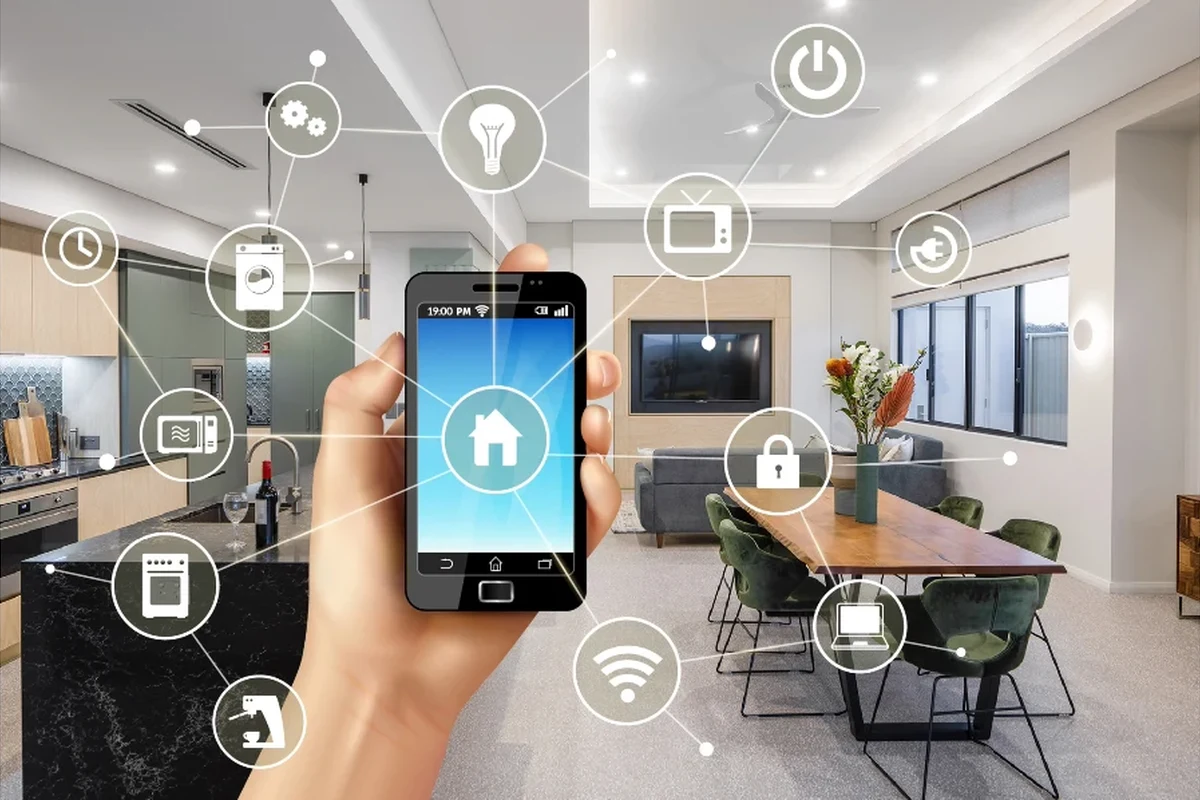
Eufy doorbells typically connect through the Eufy Security app first, then link to Google Home through account integration. That means your doorbell must be set up properly in the Eufy app before Google Home can discover or use it.
This is also where model differences matter. Some Eufy doorbells support smoother Google Home integration than others, and feature availability can change with firmware or app updates. Before buying, it is smart to verify the exact model on the manufacturer’s compatibility list and review the current app-store listing notes.
Compatibility basics: Eufy app, Google Home app, and supported models
The usual path is: install the Eufy Security app, add the doorbell to your Eufy account, then link that account inside Google Home. If the model is supported, the device should appear in Google Home and can often be assigned to a room or used with compatible displays and routines.
Compatibility is not always universal across the Eufy lineup. Some wired and battery models may behave differently, and certain features can vary by region, firmware, or the version of the Google Home app you are using. If you are still deciding which model to buy, it helps to start with what kind of video doorbell you should buy and then narrow down whether Eufy’s Google Home support matches your goals.
What Google Home can and cannot do with Eufy doorbells
Google Home usually handles the basics well: announcements when someone presses the doorbell, motion-related alerts on some setups, and live video on supported smart displays. That makes it useful for hands-free awareness around the home.
What it typically cannot do is replace the Eufy app for full camera management. You may still need the Eufy app for motion zones, recording history, notification tuning, device settings, and troubleshooting. In other words, Google Home is often the front-end convenience layer, not the complete command center.
Feature availability can change with firmware, app updates, and regional support. Always confirm the exact model’s current compatibility before you buy or rely on a specific Google Home function.
Key Setup Requirements Before You Start
A smooth setup depends on more than just downloading an app. Wi-Fi strength, account linking, power delivery, and router settings can all affect whether the doorbell shows up correctly in Google Home and whether notifications arrive on time.
If you want to avoid the most common frustrations, check the basics first rather than assuming the integration itself is broken.
Wi-Fi, power, and device compatibility checks
Start with the doorbell’s power requirements and network compatibility. Battery models need adequate charge and a stable Wi-Fi connection, while wired models depend on proper power delivery from the existing chime or transformer setup, depending on the model’s design.
Also confirm that your home network supports the band and signal quality the doorbell needs. Smart doorbells are often sensitive to weak Wi-Fi at the front door, especially in homes with thick walls, long driveways, or routers placed far from the entryway.
- Check the exact Eufy model number and current Google Home compatibility
- Confirm Wi-Fi band support, power method, and app requirements
- Review warranty terms, update support, and privacy settings
- Verify whether your preferred Google Home features are actually supported
App sign-in, permissions, and account linking steps
Make sure you can sign in cleanly to both the Eufy Security app and the Google Home app using the same account details you intend to keep long term. If you have multiple Google accounts, linking problems often happen when the device is added under one account and searched for under another.
Complete the initial pairing, confirm the device is online, and check that notifications work inside the Eufy app before moving to Google Home.
Use the official account-linking flow in Google Home, then allow the permissions needed for device discovery and announcements.
Check live view, alerts, and room assignment so you can confirm the integration is functioning as expected.
Network and router settings that can affect performance
Router settings can affect everything from device discovery to video latency. Guest networks, strict firewall rules, AP isolation, or overly aggressive parental controls may stop the doorbell from communicating correctly with Google Home or the Eufy cloud services it depends on.
If the connection is unstable, the fix is often in the network rather than the doorbell. A strong 2.4 GHz signal near the front door, a stable internet connection, and up-to-date router firmware can make a noticeable difference.
If the doorbell shows up in Eufy but not in Google Home, unlink and relink the account, then restart the router and both apps before trying again. Small account-sync issues are common.
Real-World Benefits of Using Eufy with Google Home
The main value of this pairing is convenience. You can keep the doorbell in the Eufy ecosystem while still getting Google Home’s hands-free alerts and display-friendly access in rooms where you already use Google speakers or smart displays.
That can be especially practical for busy households, renters who want a simpler setup, or anyone who prefers to check the front door without opening another app every time.
Hands-free alerts, voice announcements, and smart display viewing
One of the biggest benefits is voice announcement support. When someone rings the doorbell, compatible Google speakers can announce it, which is helpful when your phone is on silent, charging, or in another room.
On supported smart displays, you may also be able to see the live feed or recent activity. That can be useful in kitchens, home offices, and family rooms where you want a quick visual check without picking up your phone.
Smart home integrations often work best when the camera or doorbell is added to its native app first, then linked to the voice platform afterward.
Convenience for families, renters, and multi-device homes
Families often like Google Home integration because it spreads awareness across the home instead of keeping doorbell alerts on one phone. That can help when kids, roommates, or older family members need to hear or see who is at the door.
Renters may appreciate that the setup is usually app-based and can be less invasive than more complex home-security systems, depending on the model and mounting method. In homes with many smart devices, the doorbell can also fit into a broader Google Home routine without requiring a separate ecosystem for every device.
Limitations, Trade-Offs, and Common Mistakes
The main trade-off is that Google Home support is often partial. If you want deep camera controls, detailed event management, or advanced privacy settings, you will still spend time in the Eufy app.
Another common issue is assuming every feature will work on every model. That is rarely safe with smart home products, especially when support differs by firmware, region, or device generation.
Feature gaps to know before buying or connecting
Before you rely on the integration, verify whether your doorbell supports the exact Google Home features you want. Some users mainly need announcements and quick viewing, while others want motion-triggered automations, history browsing, or more advanced voice control.
If your priority is deeper ecosystem automation, compare your options carefully. A broader smart-home guide like what smart lights work with Google Home can help you understand how Google Home integrations often vary by device category, and the same caution applies to doorbells.
Privacy, latency, and reliability considerations
Any cloud-connected doorbell can introduce a small delay between the event and the alert, and that delay can vary with your internet connection, app load, and device settings. That does not mean the system is broken, but it does mean you should not expect instant response in every case.
Privacy is another factor to review. Check microphone, video-sharing, notification, and account permissions in both apps, and use strong passwords plus two-factor authentication where available. For homeowners especially, it is worth reading the manufacturer’s privacy policy, update notes, and current support documentation before finalizing your setup.
Setup errors that often block integration
The most common issues are simple: the wrong Google account, outdated app versions, a doorbell that was never fully added to Eufy, or a weak front-door Wi-Fi signal. Sometimes the device appears in one app but not the other because the account link did not complete correctly.
Stop using damaged electronics, swollen batteries, frayed cables, overheating chargers, or unstable mounts and follow the manufacturer’s guidance before continuing setup.
If you are comparing options because of these limitations, it may help to review a broader buying guide such as whether video doorbells are worth it for home security before deciding how much integration matters to you.
Who This Setup Fits Best
Eufy plus Google Home is a good fit for people who want useful smart-doorbell basics without building a highly complex smart home. It is especially appealing if you already use Google speakers or displays and want the doorbell to feel like part of that environment.
It is less compelling if you expect one app to control everything in detail or if you want advanced automation across many security devices.
Best for Google Home users who want simple smart-doorbell integration
This setup fits best for people who want front-door alerts, voice announcements, and occasional live view on a Google display. It also suits homes where convenience matters more than deep customization.
Students, remote workers, caregivers, and busy families often benefit from the “quick glance” style of integration because it reduces friction during the day.
Not ideal for users who need deep automation or full video control
If you want complex routines, detailed event handling, or a single interface that exposes every camera feature, Eufy with Google Home may feel limited. In that case, you may prefer a system with more native Google support or a different ecosystem entirely.
Choosing the Right Eufy Video Doorbell for Google Home Use
Picking the right model matters because the Google Home experience starts with the hardware. Not every Eufy doorbell offers the same field of view, power options, storage approach, or integration behavior, so model selection affects daily use.
If you want a more focused buying path, compare the specs that matter most to your home rather than choosing by brand name alone.
Wired vs battery models, resolution, field of view, and storage options
Wired models can be a better fit for homes that already have compatible doorbell wiring and want fewer charging interruptions. Battery models are often easier for renters or homes without existing wiring, but they require periodic charging and attention to battery levels.
Storage matters too. Some buyers prefer subscription-free value, while others care more about cloud convenience or extended history. Since storage features can vary by model and region, verify the current setup before you buy rather than assuming every Eufy doorbell works the same way.
Decision criteria: motion detection, two-way audio, subscription-free value, and warranty details to verify
For most buyers, the best decision criteria are motion detection quality, two-way audio clarity, storage approach, and whether the model fits your installation style. Google Home support should be one factor, not the only factor.
Before checkout, confirm warranty terms, return policy, and current software support. If you are comparing value across models, a pricing guide like how much a video doorbell costs can help frame what features usually move the price up or down.
Choose an Eufy model with confirmed Google Home support if you want a practical, low-friction smart-doorbell setup and are comfortable using the Eufy app for advanced controls. If you need full-feature Google integration, keep comparing before you buy.
Safe Use, Maintenance, and Long-Term Value
Long-term satisfaction depends on upkeep as much as setup. A smart doorbell that is mounted securely, kept clean, and updated regularly is more likely to stay reliable than one that is installed and forgotten.
This is especially true for battery models, outdoor installations, and homes exposed to weather, dust, or direct sunlight.
Battery care, charging guidance, and inspection of cables or power accessories
If your model uses a battery, follow the manufacturer’s charging guidance rather than leaving it at the edge of depletion for long periods. Avoid damaged chargers, swollen batteries, or cables that run hot, and replace questionable accessories promptly.
For wired installs, inspect visible cables and power accessories periodically. If anything looks loose, cracked, frayed, or discolored, stop using it and consult the manufacturer’s documentation or a qualified installer if needed.
Cleaning the camera lens, checking mounts, and keeping firmware updated
Outdoor camera lenses can collect dust, pollen, rain spots, and fingerprints, which can reduce image clarity. Use a soft, gentle cleaning method recommended by the manufacturer and avoid abrasive materials that could scratch the lens or housing.
Also check the mount and angle from time to time. A shifted bracket can change motion detection coverage or create blind spots, especially after seasonal temperature changes or repeated door use. Firmware updates are worth keeping current because they may improve stability, compatibility, or security.
- Keep the Eufy app and Google Home app updated before troubleshooting integration issues.
- Test announcements and live view after any router change or firmware update.
- Recheck mounting angle after storms, heavy door use, or seasonal temperature swings.
- Review privacy and notification settings after account changes or app reinstalls.
Final recommendation: when Eufy + Google Home is worth it in 2026
Eufy video doorbells are worth considering with Google Home if you want a convenient, mostly simple smart-doorbell setup and you are comfortable with some feature limits. The pairing makes the most sense for households that value alerts, voice announcements, and quick display access more than advanced automations.
If your top priority is full Google-native control, do a careful model-by-model check before buying. For many people, though, Eufy plus Google Home is a practical and flexible combination as long as expectations stay realistic and the exact compatibility is verified first.
Frequently Asked Questions
Many Eufy video doorbells work with Google Home in supported setups. The integration is usually limited to alerts, announcements, and some live viewing rather than full camera control.
Set up the doorbell in the Eufy Security app first, then link the account in Google Home. You should also confirm Wi-Fi strength, power requirements, and that your exact model is supported.
Some supported Eufy doorbells can show live video on compatible Google smart displays. Availability depends on the exact model, firmware, and app version.
Common causes include account-linking errors, outdated apps, weak Wi-Fi, or unsupported model/region combinations. Recheck the Eufy setup first, then relink the account if needed.
Yes, it can be useful for shared households because Google speakers and displays can announce or show doorbell activity. It works best when everyone wants simple alerts rather than advanced automation.
Verify the exact model’s Google Home support, power type, storage options, warranty terms, and current app compatibility. Features can vary by model, region, and firmware.