Does Wyze Video Doorbell Require a Subscription Guide
No, a Wyze video doorbell usually does not require a subscription for basic use. The paid plan mainly adds more recording and smarter detection features.
If you’re asking does Wyze video doorbell require a subscription, the short answer is no: it can still provide live view, motion alerts, and basic doorbell use without a paid plan. A subscription mainly adds richer event recording and smarter detection features, so the better question is whether those extras are worth it for your home and habits.
- Free use: Basic live view, alerts, and doorbell functions can work without a monthly plan.
- Paid value: Cam Plus is most useful if you want fuller event history and better detection.
- Compatibility matters: Wiring, Wi‑Fi strength, and app support can affect performance more than the subscription.
- Best fit: Budget buyers and simple smart home users may be satisfied without paying monthly.
- Verify first: Check the exact model, current plan features, and official support details before buying.
Does Wyze Video Doorbell Require a Subscription? Quick Answer and What You Get Free
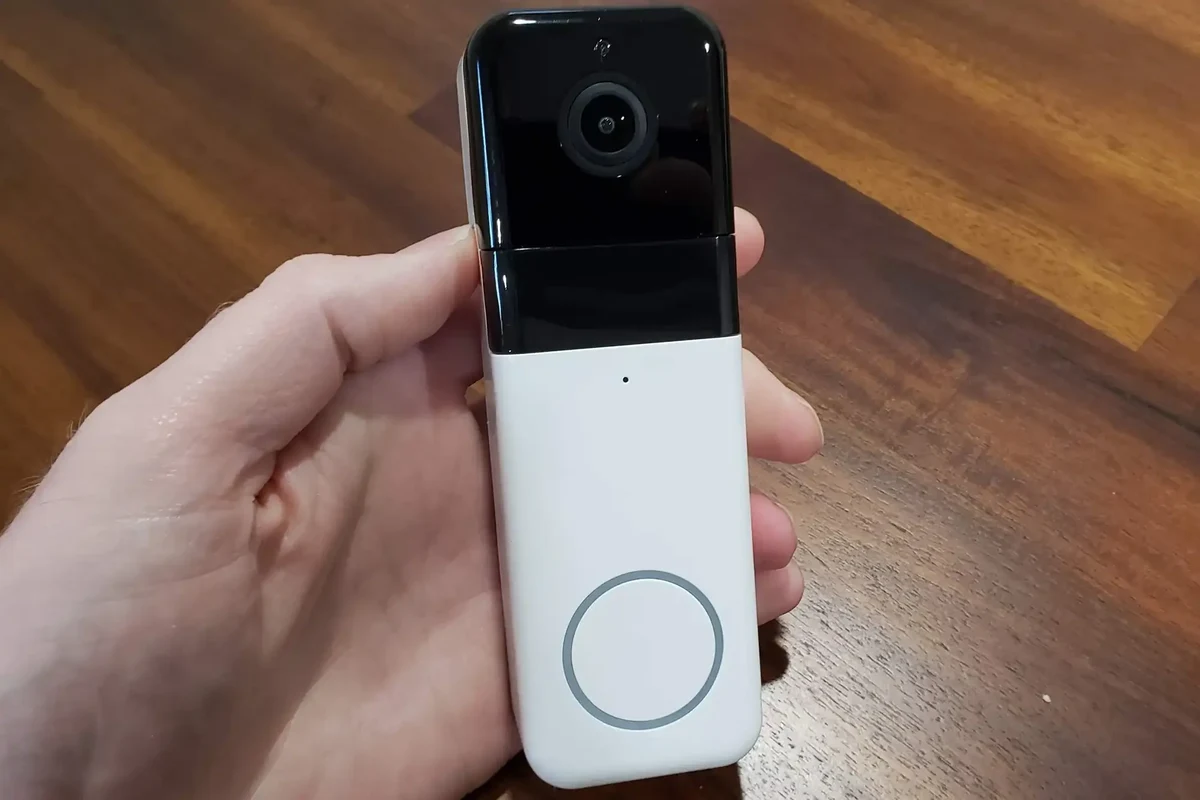
Wyze Video Doorbell models are generally usable without a monthly subscription, but the free experience is more limited than the paid one. In practical terms, that means you can often receive alerts, check the camera live, and use the doorbell as a smart entry camera, while advanced cloud recording and some detection features may sit behind Wyze Cam Plus or a similar plan.
That distinction matters because doorbell cameras are not just about seeing who is at the door. They’re also about how much history you want to keep, whether you care about identifying people versus general motion, and how often you expect to review clips after the fact.
If you’re comparing total ownership cost, it can help to read broader context like how much a video doorbell costs and whether video doorbells are worth it for home security. Those guides help separate the device price from the ongoing plan cost.
How Wyze Video Doorbell Works in 2026
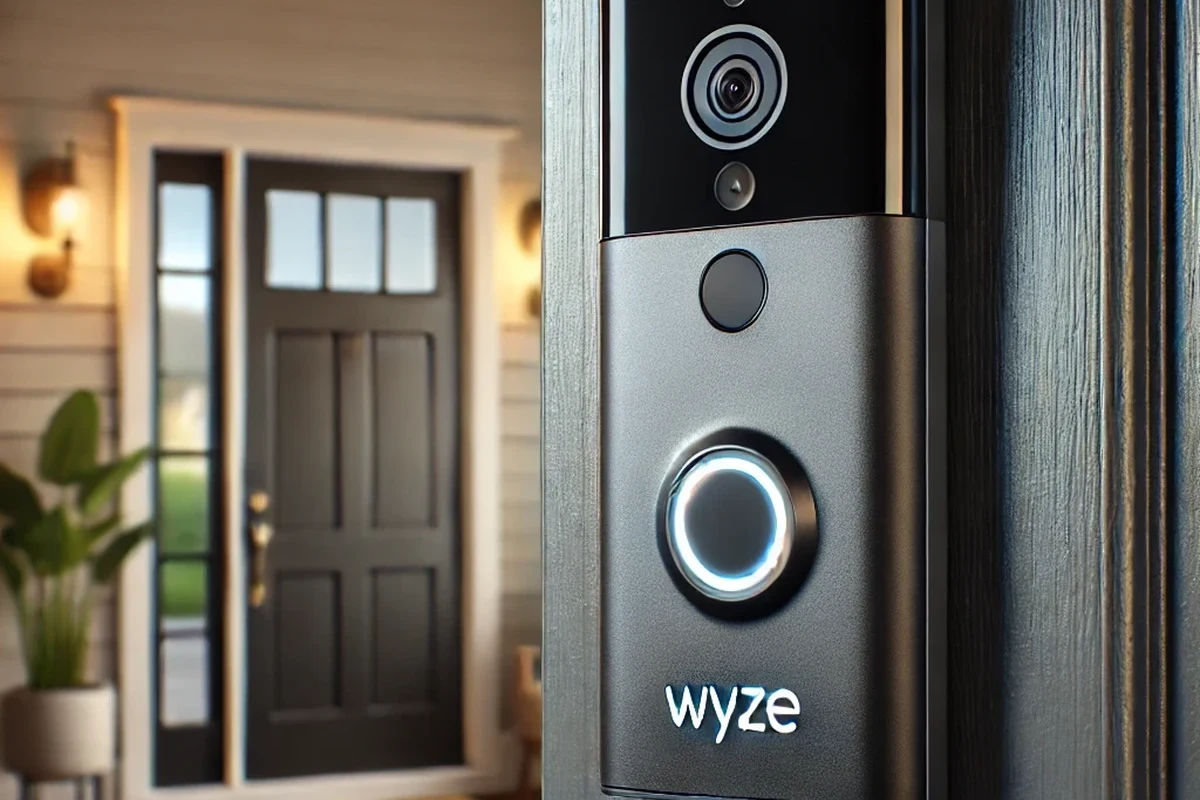
Wyze’s current app and service model can change by firmware, region, and product generation, so the safest approach is to verify the exact doorbell model and current plan details before buying. In 2026, the main idea remains the same: the hardware handles the camera, microphone, speaker, and motion detection, while the app and cloud service determine how much video history and intelligence you get.
Local Alerts, Live View, and Basic Motion Detection
Without a subscription, the doorbell can still be useful for immediate awareness. You can typically get push notifications, open live view in the app, and respond to someone at the door in real time, which covers the most common everyday use case.
Basic motion detection is usually enough for many homeowners, renters, and students who simply want to know when someone approaches the front door. But “basic” is the key word: it may not be as selective or detailed as paid event detection, especially in busy areas with cars, trees, pets, or frequent foot traffic.
Before buying, check whether your front door area has strong Wi‑Fi, a clear view of the walkway, and enough lighting for the camera to identify visitors at the times you care about most.
What the Wyze Cam Plus Subscription Adds
Paid plans commonly add longer or more complete event recording, smarter person detection, and fewer limits around review history. Exact features vary by model and subscription tier, so confirm the current Wyze plan page and app listing rather than relying on older forum posts or outdated reviews.
For many users, the subscription is less about “making the camera work” and more about making it work better. If you want to review missed deliveries, keep a fuller record of packages, or reduce nuisance clips from non-human motion, the paid tier tends to be more attractive.
Wyze feature names and plan bundles can change over time. Always verify the exact features tied to your specific doorbell model, account region, and app version before assuming a feature is included.
Wyze Video Doorbell Specs and Setup Factors to Check Before Buying
Subscription questions are important, but compatibility matters just as much. A doorbell camera can be a poor fit if the wiring, Wi‑Fi, or mounting space does not match your home setup.
- Check the exact model number and current Wyze app requirements
- Confirm wiring, voltage, and chime compatibility with your existing doorbell system
- Verify Wi‑Fi signal strength at the front door and the phone OS support you need
- Review current warranty, return policy, and subscription terms before purchase
Wired Power Requirements, Voltage, and Compatibility
Most Wyze video doorbells are designed around wired doorbell power, not a removable battery-first setup. That means your existing doorbell transformer, wiring quality, and indoor chime setup can all affect whether installation is straightforward or frustrating.
Because voltage and transformer requirements may differ by model, the official manual is the right place to confirm the exact range. If your home has older wiring, a weak transformer, or an unusual chime, a professional installer may be safer than guessing.
App Requirements, Wi‑Fi Connectivity, and Phone Support
Wyze doorbells depend heavily on the mobile app, a stable internet connection, and a solid 2.4 GHz Wi‑Fi signal in many home setups. If the signal at your front door is weak, you may see delayed notifications, dropped live views, or missed event uploads.
Also check whether your phone is supported by the current app version. App support can change over time, especially as older operating systems age out, so it’s smart to confirm compatibility in the app store listing and Wyze support pages before purchase.
Dimensions, Mounting, and Installation Space
Doorbell cameras need enough physical room around the mounting plate, wiring, and door frame. A narrow trim board, a recessed entryway, or a door that opens close to the frame can affect angle, clearance, and whether the camera sees faces clearly.
Mounting also matters for weather exposure. If your porch gets direct rain, strong sun, or blowing dust, placement and the included mounting angle can affect long-term cleanliness and reliability.
Who the Wyze Video Doorbell Fits Best
The best buyer is not always the person looking for the most features. For some households, the value comes from low upfront cost and simple usage; for others, the limits of the free tier will become noticeable quickly.
Budget-Conscious Homeowners and Renters
Wyze is often appealing to people who want a lower-cost way to add front-door awareness without committing to a premium ecosystem. Renters may also like the idea of a simple app-based setup, though they should still confirm installation rules with the landlord before touching existing wiring.
For budget comparison shopping, it can help to look at best value video doorbells and the broader 2026 video doorbell guide. Those articles make it easier to compare subscription-free value against feature-rich alternatives.
Users Who Want Simple Smart Home Integration
If your main goal is basic smart home convenience—getting a ping when someone arrives, checking the live feed, and answering the door remotely—Wyze can fit well. It is especially practical for busy households, remote workers, and people who want a straightforward app experience rather than a complex security system.
Integration quality can vary depending on your smart home platform and the exact model, so verify current compatibility if you rely on assistants or automations. If you use Apple devices heavily, you may also want to compare alternatives in what video doorbell works best with Apple.
Who May Need a Different Doorbell Camera
You may want a different doorbell if you need longer event history without paying monthly, a stronger privacy-first feature set, or more advanced home security integration. People with weak Wi‑Fi, unusual wiring, or very high traffic at the front door may also be better served by a more specialized model.
Wyze is a strong fit for buyers who want a capable doorbell camera with a lower entry cost and can live with subscription limits on recording and advanced detection.
Real-World Benefits and Practical Trade-Offs
The biggest benefit of Wyze’s approach is flexibility: you can start with the free experience and decide later whether the subscription is worth it. The trade-off is that the free tier may feel “good enough” until you need more clip history or better event filtering, at which point the plan becomes harder to ignore.
Value Without a Subscription
For many households, free live view and alerts are the main reasons to install a doorbell camera in the first place. If you mostly want to know when a package arrives or when a guest rings the bell, you may not need to pay for extras right away.
This can be especially attractive if you are testing whether a smart doorbell actually improves your routine. Students, first-time smart home buyers, and apartment dwellers often want a low-commitment option before adding monthly bills.
Cloud Features, Notifications, and Event History Limits
The main subscription value is usually in the cloud side of the experience: more complete event history, better filtering, and easier review after the fact. Without that, you may still get notified, but the clip you want to review could be limited or less informative depending on the current plan structure.
That matters if you care about delivery proof, porch activity, or repeated visitors. If you only use the doorbell occasionally, the free tier may be enough; if you rely on it daily, the paid features can become more practical than optional.
- No subscription required for basic day-to-day use
- Good entry point for budget-minded buyers
- Easy to scale up later if you want more features
- Important features may sit behind a paid plan
- Free event history and detection can feel limited
- Performance depends heavily on wiring, Wi‑Fi, and app support
Privacy, Security, and Safe Use Considerations
Any connected doorbell camera should be set up with basic account security in mind. Use a strong unique password, enable two-factor authentication if available, keep firmware updated, and review app permissions so only the people who need access can view the camera.
Do not install or troubleshoot doorbell wiring if you are unsure about electrical safety. Turn off power at the breaker before handling wires, and stop if you see damaged insulation, overheating, corrosion, or unstable mounting.
Common Setup Mistakes and Troubleshooting Tips
Most problems with video doorbells are not caused by the subscription itself. They usually come from power issues, weak Wi‑Fi, incorrect app setup, or motion settings that are too sensitive for the environment.
Power, Chime, and Wi‑Fi Issues
If the doorbell does not power on reliably, check the transformer, wiring connections, and indoor chime compatibility first. A weak or inconsistent power supply can cause rebooting, missed alerts, or a camera that works only part of the time.
Wi‑Fi is the other common culprit. If your router is far from the front door, consider repositioning the router, improving coverage with a mesh node, or confirming that the doorbell is connecting on the band and network your manual recommends.
If notifications are delayed, test the app on mobile data and on home Wi‑Fi to separate internet issues from local network issues. That simple check often points you toward the real problem faster than changing settings at random.
Motion Sensitivity, App Permissions, and Recording Problems
Too many false alerts usually mean the motion zone or sensitivity needs adjustment. Trees, passing cars, porch lights, reflective surfaces, and pets can all trigger unnecessary events depending on placement and settings.
If recording seems inconsistent, confirm that the app has the right notification permissions and that your subscription status matches the features you expect. A plan lapse, outdated app version, or account sign-in issue can look like a hardware problem when it is actually a software or account issue.
Maintenance, Care, and Long-Term Ownership
Doorbell cameras are small outdoor electronics, so long-term reliability depends on routine care. A little maintenance can help preserve image quality, reduce false alerts, and make the device last longer in changing weather.
Cleaning the Camera Lens and Doorbell Housing
Use a soft, dry microfiber cloth to clean the lens and outer housing. Avoid harsh cleaners, abrasives, or sprays that could leave residue, cloud the lens, or seep into openings.
Dust, pollen, spider webs, and rain spots can all reduce image clarity over time. If your entryway collects debris often, a quick periodic wipe-down can make a noticeable difference in how well the camera sees faces and packages.
Checking Wiring, Weather Exposure, and Firmware Updates
Inspect the visible wiring and mounting area from time to time, especially after storms or seasonal temperature swings. If the unit is exposed to heavy moisture, direct sun, or repeated vibration from a loose mount, those conditions can shorten its useful life.
Firmware updates are worth applying when Wyze releases them, since updates can improve stability, security, and compatibility. As always, confirm the update notes in the official app or support page before assuming a new version fixes your specific issue.
Warranty Details and When Replacement Makes Sense
Warranty terms can vary by retailer, region, and model, so check the current policy before purchase and keep your proof of purchase. If the doorbell develops persistent power problems, lens fogging, or app connectivity failures after basic troubleshooting, replacement may be more sensible than repeated resets.
Stop using damaged electronics, frayed cables, loose mounts, or units that overheat or behave unpredictably. Follow the manufacturer’s instructions and contact support or a qualified installer when electrical or mounting safety is in question.
Final Verdict: Is the Subscription Worth It for Your Use Case?
Wyze video doorbells do not usually require a subscription to function in a meaningful way, but the paid plan can make a big difference if you want fuller event history, smarter detections, and fewer compromises. If your main goal is simple live viewing and basic alerts, the free experience may be enough; if you depend on the doorbell as a daily security tool, the subscription becomes much easier to justify.
In other words, the best choice depends less on whether Wyze “forces” a plan and more on how you plan to use the camera. Verify the exact model, current app features, and subscription terms before you buy, then choose the setup that matches your front door, your Wi‑Fi, and how much video history you actually need.
Frequently Asked Questions
Yes, it can still provide basic live view, alerts, and doorbell use without a paid plan. Paid features mainly expand recording history and detection quality.
It typically adds more complete event recording and smarter detection features. Exact benefits depend on the specific doorbell model and current plan details.
Many Wyze doorbells are designed for wired power, so transformer and chime compatibility matter. Check the official manual for the exact voltage and wiring requirements.
They depend on a stable home network and often perform best with strong 2.4 GHz coverage near the front door. Weak signal can cause delays, dropped live views, or missed events.
It can be a good budget option for renters if building rules allow installation and the wiring setup is compatible. Always confirm lease terms before touching existing doorbell wiring.
Check the exact model, app support, wiring requirements, Wi‑Fi strength, and current subscription features. Also review warranty and return policy before purchase.